
Best Android Home Screen Widget Apps (2026)
The best Android home screen widget apps in 2026: what to look for (styles, customization, quick toggles) and how One Widget compares to KWGT and WidgetSmith.
Android’s home screen is its superpower, and widgets are how you make it yours. This 2026 guide covers what to look for in a widget app and how One Widget compares to KWGT and WidgetSmith.
Why home screen widget app matters on Android
On Android, widgets are first-class: One Widget drops clocks, toggles and app shortcuts straight onto your home screen, with deep theming that matches Galaxy, Pixel and Nothing. iOS widgets are more limited and sandboxed, which is why the cross-platform comparison here leans Android.
What to look for in a home screen widget app
- Style variety — Glass iOS, Material You, Galaxy One UI and Nothing and more, so the widget matches your launcher.
- Deep customization — size, color, corner radius, and what the widget actually shows.
- Quick toggles & shortcuts — Wi-Fi, Bluetooth, torch and app shortcuts one tap from the home screen.
- Live info — clock, calendar, battery, RAM widgets that update in place.
- Device coverage — works on Galaxy, Pixel, Nothing and other Android skins.
- One app, many widgets — avoid installing several single-purpose widget apps.
The field at a glance
| App | Price (2026) | Platform | Best for / notes |
|---|---|---|---|
| One Widget | Paid app (one-time) | Android only | 500+ widgets, 4 styles, quick toggles, app shortcuts |
| KWGT | Free + Pro Key ~$4.99 | Android only | Fully custom widget editor, but you build each widget yourself (DIY) |
| WidgetSmith | Free + subscription | iOS only | iOS themed widgets; no Android version |
One Widget, in depth
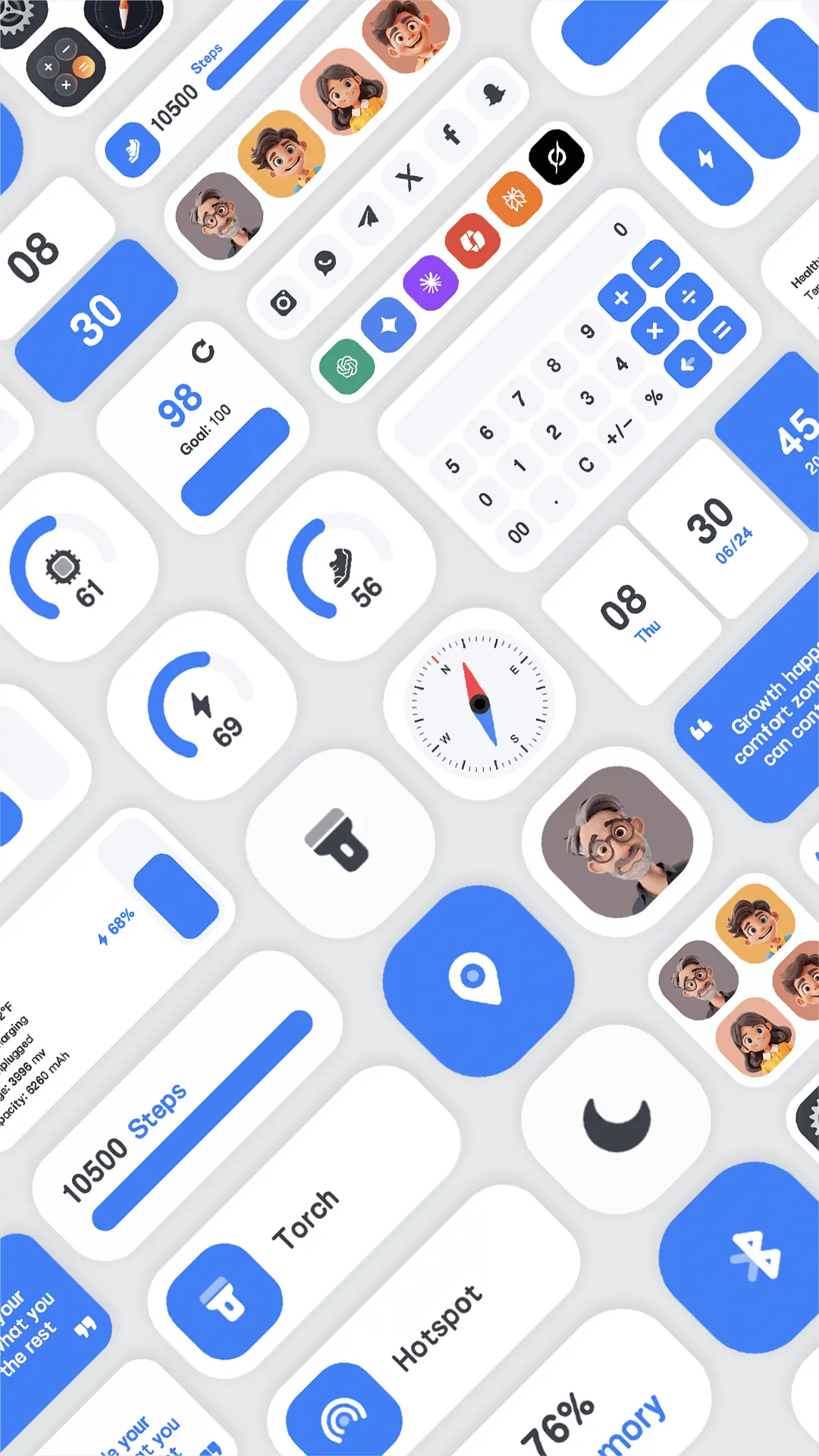
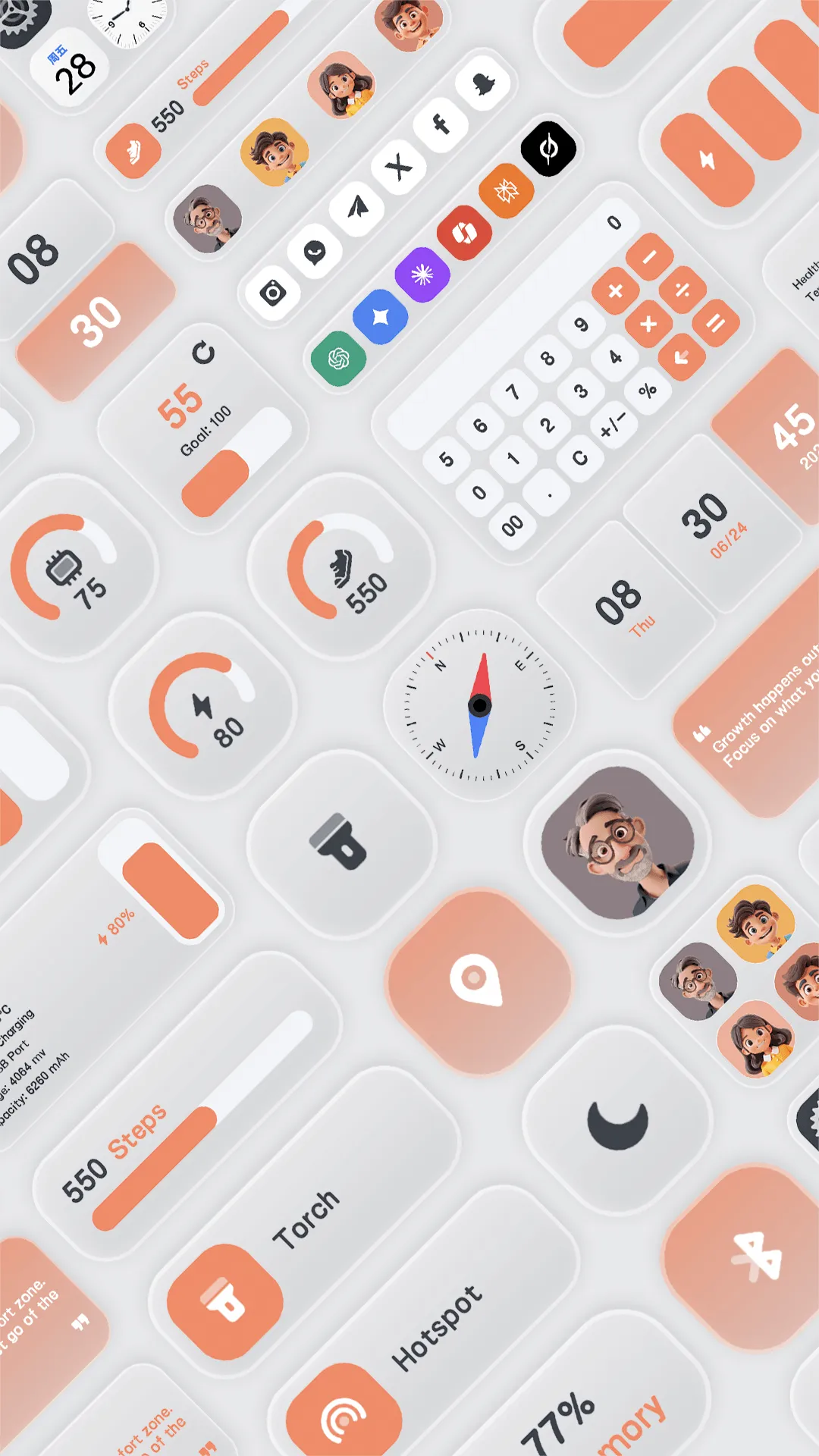
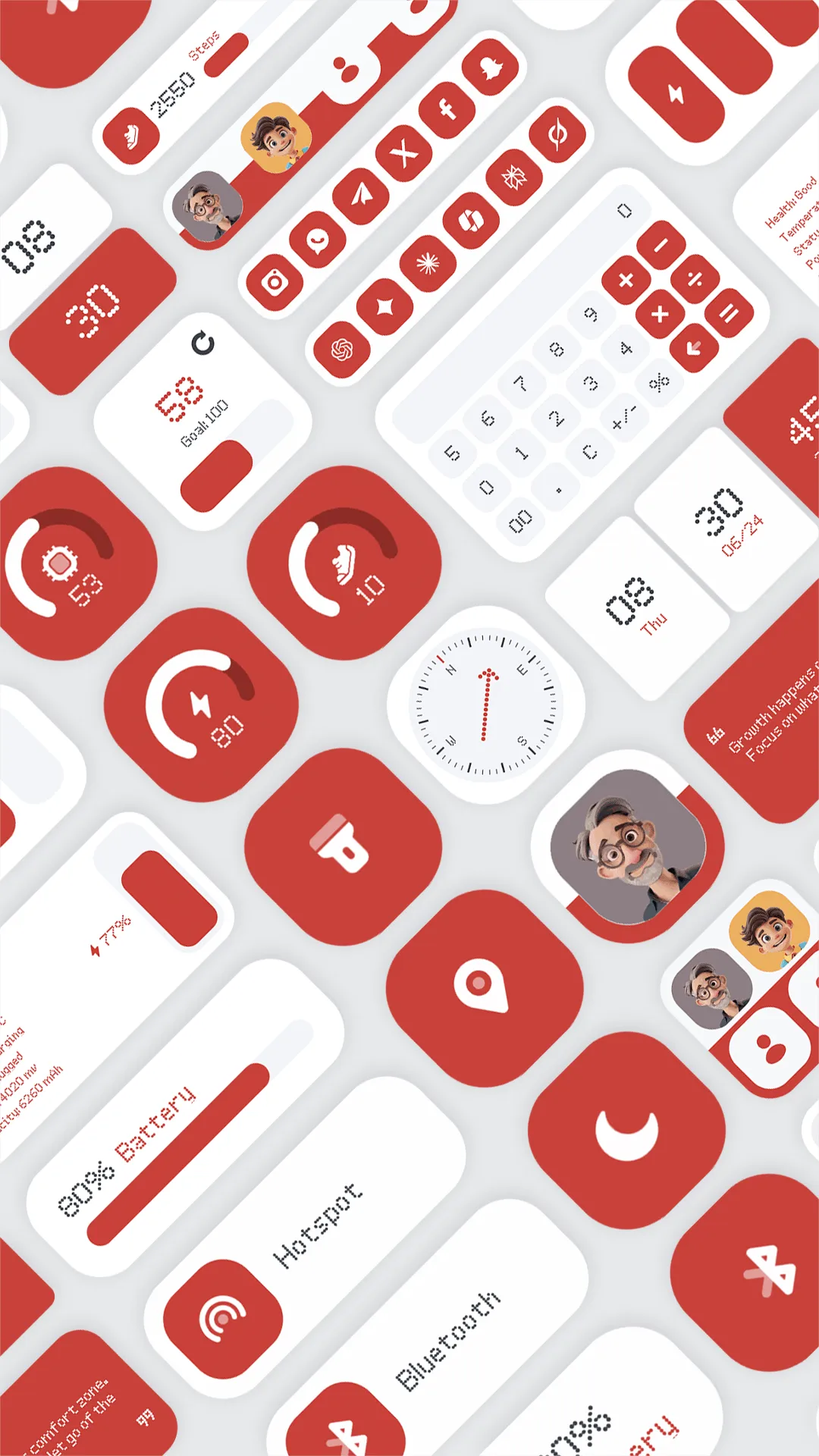
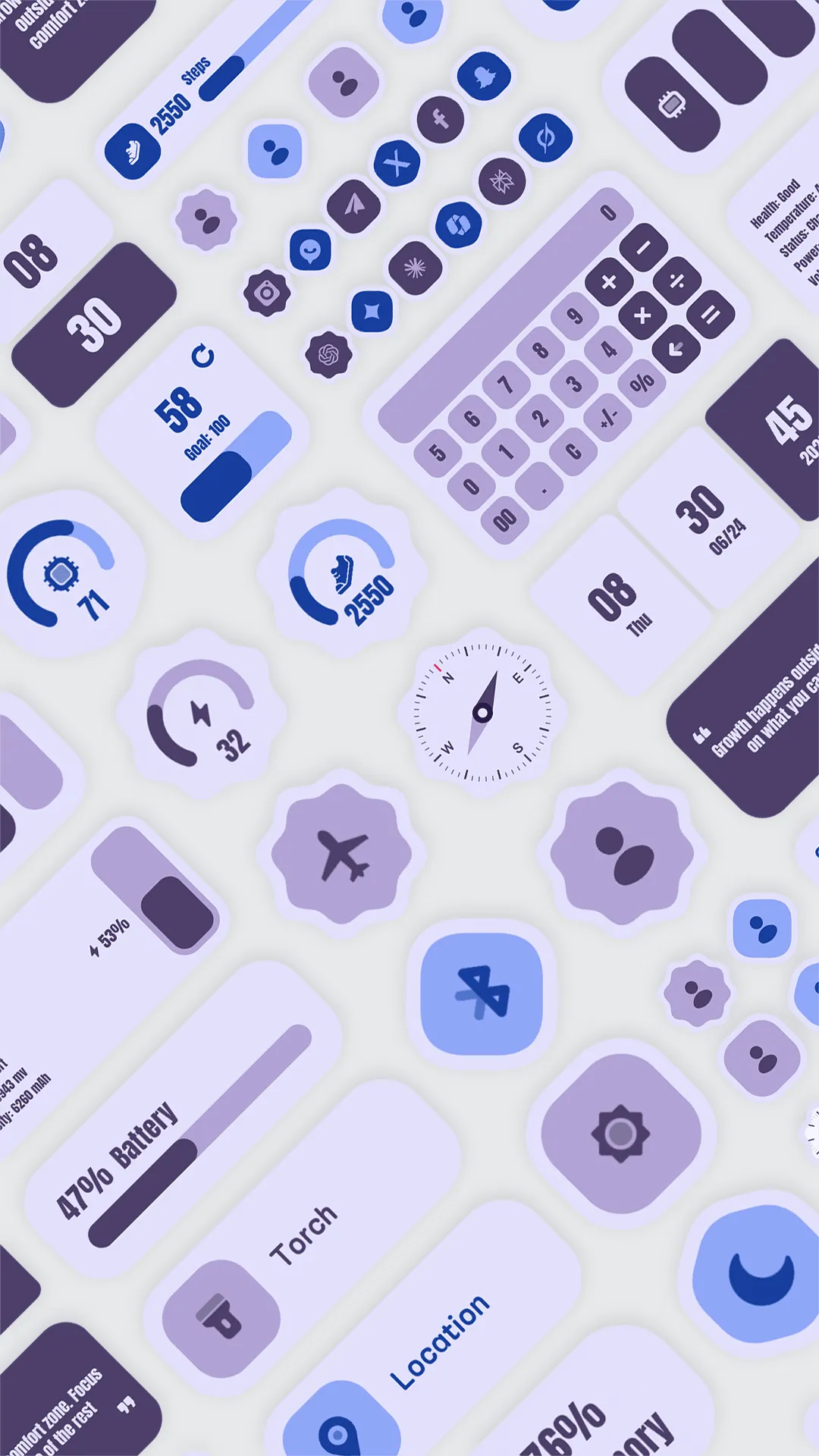
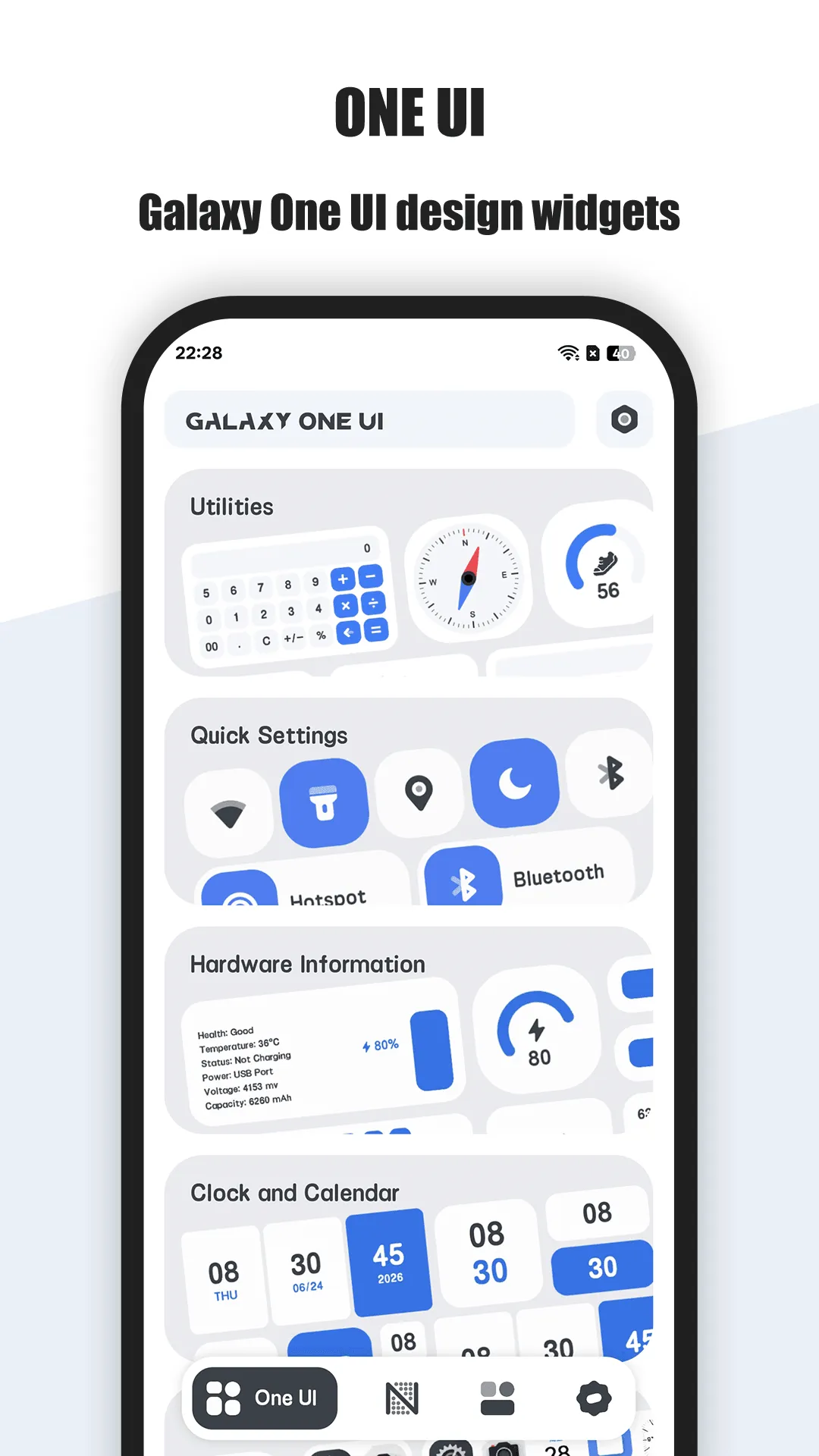
One Widget packs 500+ customizable Android home screen widgets in Glass iOS, Material You, Galaxy One UI and Nothing styles, plus app shortcuts and quick toggles.
- 500+ premium widgets — four trending styles in one app, no editor needed.
- Full customization — size from 1x1 to 2x6, icon background color and corner radius to match your theme.
- Quick toggles — Wi-Fi, Bluetooth, torch, rotation, DND and more straight from the widget.
- App shortcuts & contacts — one-tap launchers on the home screen.
- Live info widgets — clock, calendar, battery and RAM that update live.
- All Android devices — Galaxy, Pixel and Nothing supported.
Best for: Android users who want a stylish, all-in-one widget toolkit.
Go deeper:
- Best Android widgets app
- Best Material You widgets
- One Widget app page
- One Widget Official User Guide
How One Widget compares to the competition
- vs KWGT — KWGT is the most flexible if you enjoy building widgets from scratch, but that flexibility is work — most people want a finished widget, fast. One Widget ships 500+ ready-made widgets across four styles. Full breakdown in One Widget vs KWGT.
- vs WidgetSmith — WidgetSmith is the iOS answer to custom widgets and has no Android build, so it’s not an option for this audience; One Widget is the Android-native pick.
- More options — see Best WidgetSmith Alternatives (Android) in 2026 for the full field.
Which should you pick?
Quick pick by situation:
- Want ready-made, beautiful widgets fast → One Widget.
- Enjoy DIY and want total control → KWGT (Pro Key).
- On iPhone and want themed widgets → WidgetSmith.
- Want quick toggles + app shortcuts on one screen → One Widget.
Conclusion
For Android users who want a stylish, all-in-one widget toolkit without DIY scripting, One Widget is the most complete pick — and it’s a one-time paid app.
Or read the Best Android widgets app for the full breakdown.