
Crosshair vs Crosshair Hero: Which Overlay Reticle?
Crosshair Aim vs Crosshair Hero compared in depth for 2026: a customizable FPS overlay with an in-game floating adjuster versus a popular crosshair overlay app. Features, price and a verdict per need.
Both draw a reticle over your game, but they suit different players. Crosshair Aim is a customizable FPS overlay with an in-game floating adjuster; Crosshair Hero is the popular preset-style crosshair overlay you tap and go. This Crosshair Aim vs Crosshair Hero comparison helps you pick a custom crosshair overlay in 2026.
At a glance
| Crosshair Aim | Crosshair Hero | |
|---|---|---|
| Core | Customizable FPS overlay + in-game adjuster | Preset crosshair overlay |
| Platforms | Android | Android |
| Styles | 80+ (basic + advanced) | 30+ preset styles |
| Customize | Size, color, scale, position, transparency | Style-dependent |
| In-game adjuster | Yes (floating) | Limited |
| Transparency | Yes (default 85%) | Yes |
| Real-time reposition | Yes, while playing | Limited |
| Generate for no-crosshair weapons | Yes | Varies |
| Ads / IAP | Unlock (no forced ads) | Ads + IAP |
| Free tier | Basic styles | Basic free |
| Game-safe (no root) | Yes | Yes |
| Best for | Deep tuning while playing | Quick preset use |
Crosshair Aim, in detail
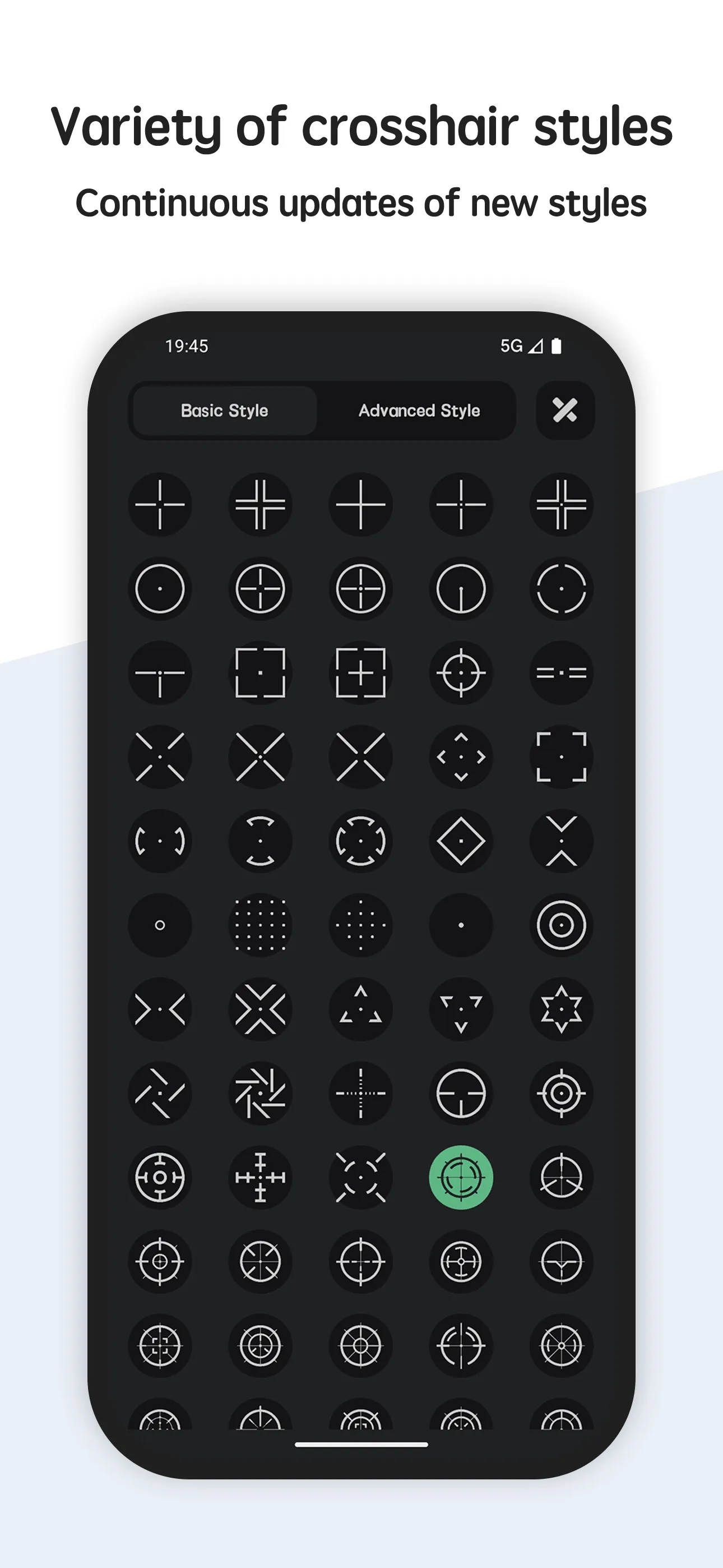
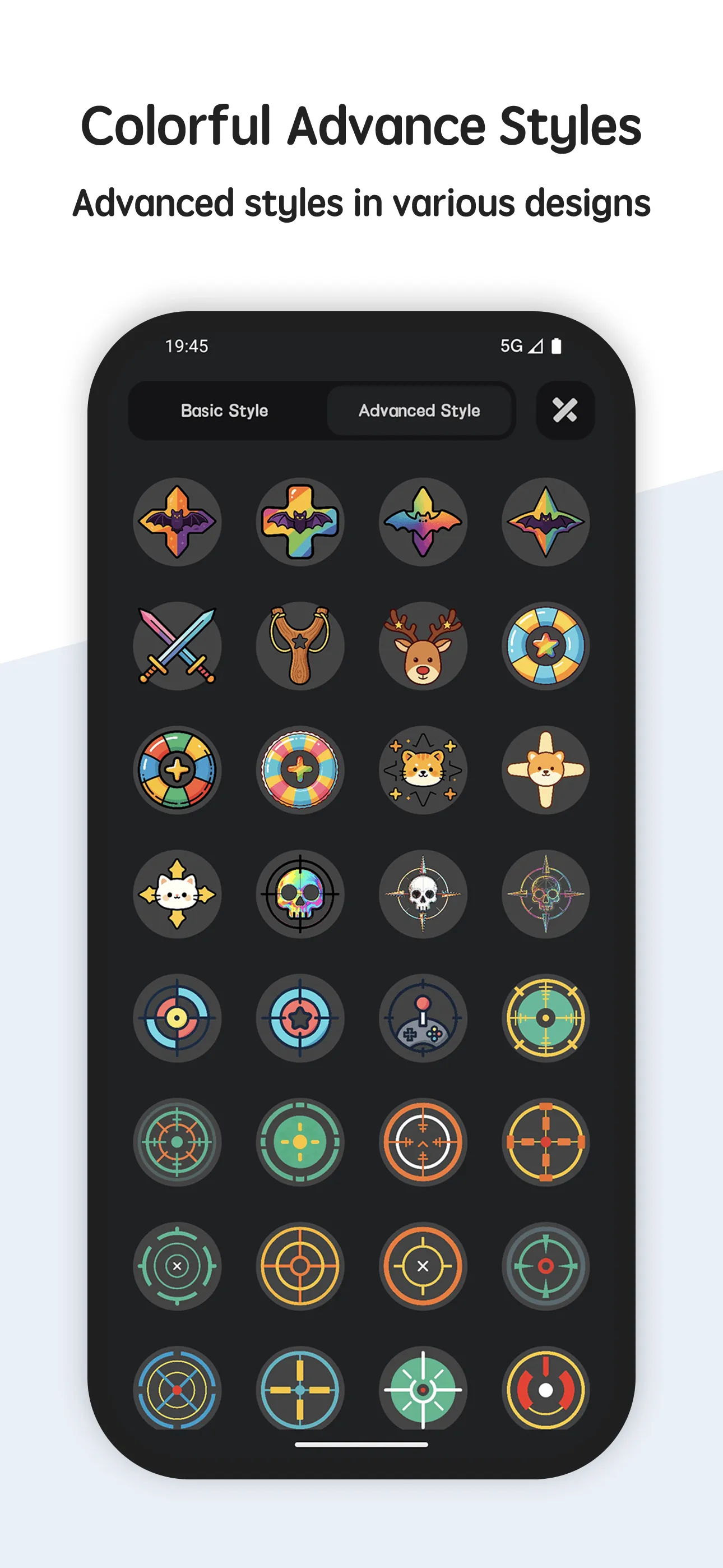
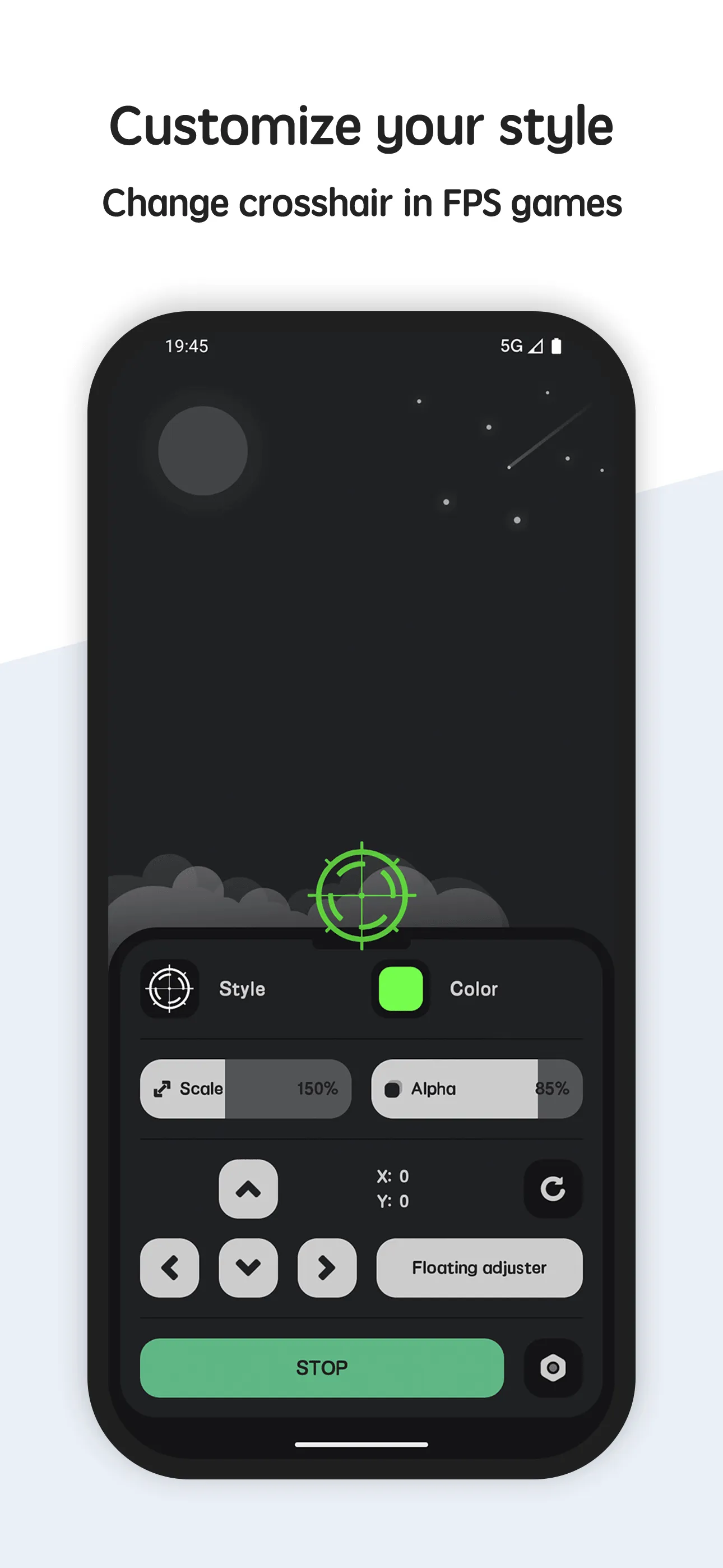
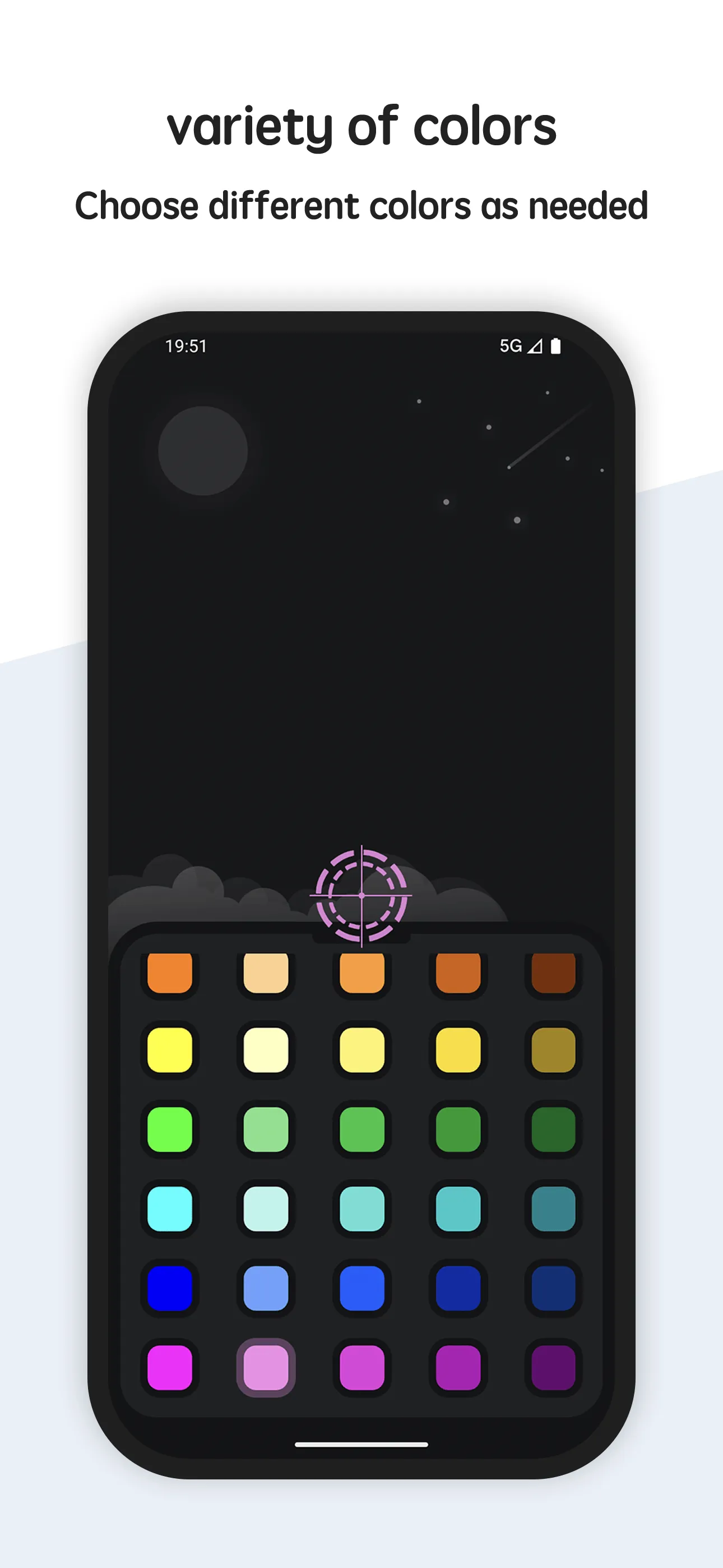
Crosshair Aim is a crosshair app for FPS games focused on control. It ships 80+ styles and lets you tune size, color, scale, position and transparency, then adjust everything from a floating button during a match.
Strengths
- 80+ crosshair styles — dots, crosses, circles and more, covering most play styles.
- Full customization — size, color, scale and on-screen position are all yours.
- In-game floating adjuster — retune the reticle without leaving the match; perfect when switching weapons or maps.
- Transparent, no-root overlay (85% default) that works over almost any shooting game.
- Generates a crosshair even for weapons or modes that don’t ship one.
- Free core with a short unlock for premium styles — no forced ads.
Weaknesses
- Android only — no iOS version.
- Premium styles sit behind an unlock.
- No image import for fully custom shapes.
- No animated reticles (static styles only).
- Fine control means a short learning curve for first-timers.
Best for
Players who want lots of styles and live, in-game tuning rather than a fixed preset.
Download Crosshair Aim
Crosshair Hero, in detail
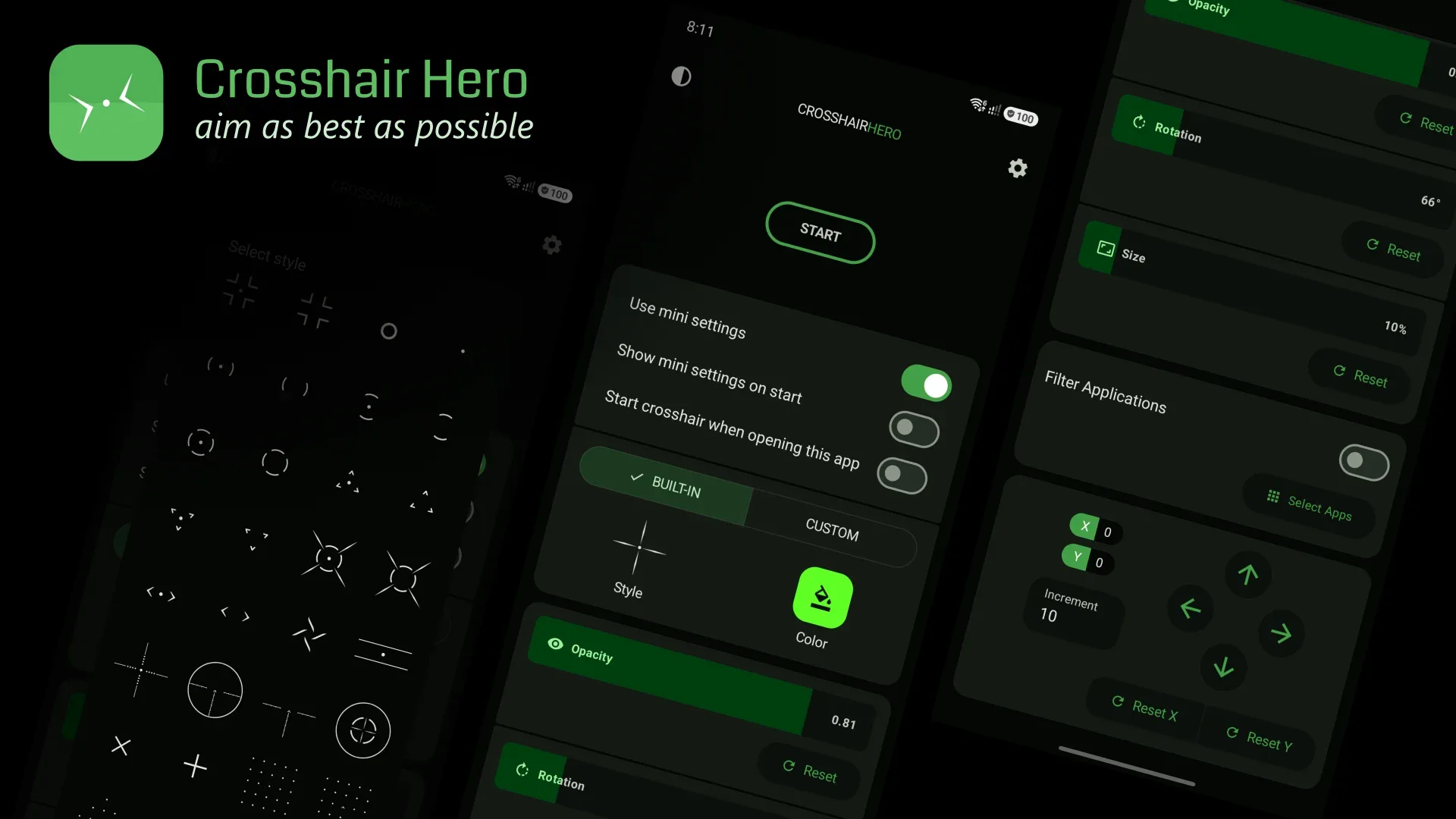
Crosshair Hero is a popular crosshair overlay app — tap a style, pick a color, and the reticle appears over your shooter. It’s the quick, familiar choice for casual players.
Strengths
- Many ready-made presets — you’re usually one tap from a usable crosshair.
- Quick to use — minimal setup, good for players who just want a reticle now.
- No root required and game-safe (draws only, doesn’t touch game files).
- Large user base and frequent updates across the category.
- Free to start, with extra style packs as in-app purchases.
Weaknesses
- Less fine control — customization is style-dependent; you adjust within presets rather than from scratch.
- Limited in-game adjuster — repositioning mid-match is clunkier than a dedicated floating tool.
- Ads and IAP are common in the free tier, which can interrupt the experience.
- Few extras like per-weapon profiles or image imports.
- It covers the basics but offers less depth than a custom builder.
Best for
Casual players who want a quick, recognizable crosshair without learning a builder.
Download Crosshair Hero
How they compare where it matters
Customization depth
Crosshair Aim gives you the dials: size, color, scale, position, transparency, plus a generator for weapons without a native reticle. Crosshair Hero gives you curated presets with lighter tweaks. If “close enough” isn’t enough, Aim wins.
Control while playing
The floating in-game adjuster is Crosshair Aim’s standout. You can shrink, recolor, or move the reticle mid-match. Most preset apps make you exit to settings. For snipers and weapon-switchers, that’s a real edge.
Transparency and safety
Both are no-root overlays that only draw a reticle — neither modifies game files or affects hit detection, so both are safe to use in casual play.
Price and interruptions
Crosshair Aim’s free core is ad-free with an unlock for extras. Crosshair Hero is often ad-supported with IAP for style packs, which can feel more intrusive.
Which should you choose
- Choose Crosshair Aim if you want deep, live control — custom size/color/position, an in-game adjuster, and a reticle for any weapon.
- Choose Crosshair Hero if you want a recognizable preset crosshair in seconds and don’t need fine tuning.
- For competitive play, the in-game adjuster and transparency control of Crosshair Aim make it the more practical daily driver.