
Best Mood Diary & Journaling Apps (2026)
The best mood diary and journaling apps in 2026: what to look for (privacy, quick logging, offline) and how Meow Mood Diary compares to Day One and Journey.
A mood diary turns scattered feelings into something you can actually see and learn from. This 2026 guide covers what matters in a journaling app and how Meow Mood Diary compares to the journaling heavyweights.
Why mood diary matters on Android
On Android, local-first storage plus a fingerprint lock means your private thoughts never leave the device unless you back up to your own Google Drive. That’s a bigger deal here than on iOS, where people expect everything in iCloud.
What to look for in a mood diary
- Privacy & ownership — entries stored locally or your own cloud, not a vendor server you don’t control.
- One-tap quick logging — pick an emotion icon without writing paragraphs on a bad day.
- History & insights — calendar and charts to spot patterns (e.g., Sunday blues, post-coffee spikes).
- Offline use — log anytime, no Wi-Fi needed, which keeps the habit frictionless.
- Reminders — gentle daily prompts to build the check-in habit.
- Lock — fingerprint or passcode so only you can open the diary.
The field at a glance
| App | Price (2026) | Platform | Best for / notes |
|---|---|---|---|
| Meow Mood Diary | Free download, core free + optional unlock | Android + iOS | Private, one-tap mood logging, offline, Google Drive backup |
| Day One | Subscription ~$34.99/yr | Android + iOS | Polished journaling with photos and sync, but cloud-account based |
| Journey | Freemium | Android + iOS + Web | Cross-platform diary with travel maps; free tier is limited |
Meow Mood Diary, in depth
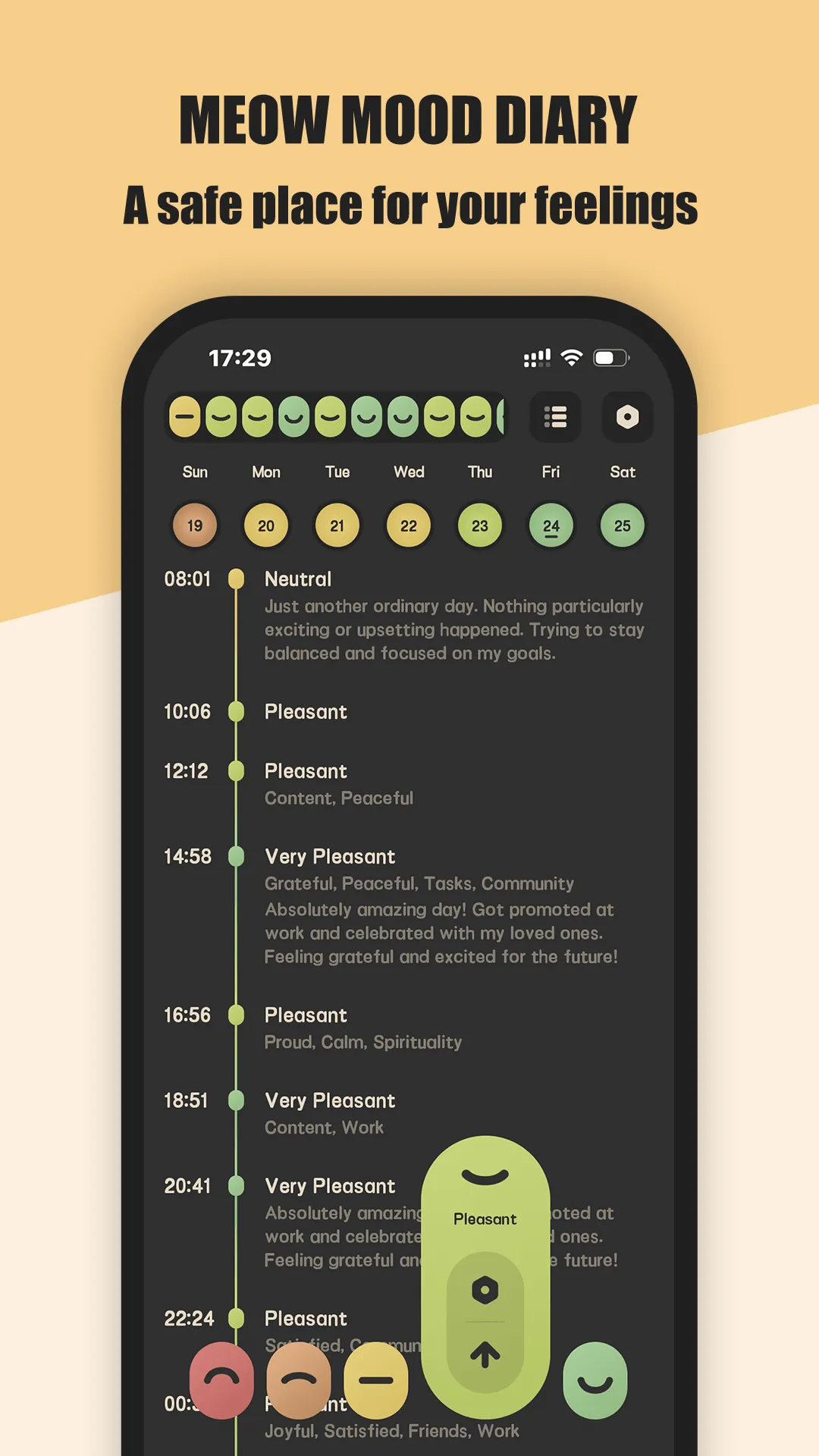
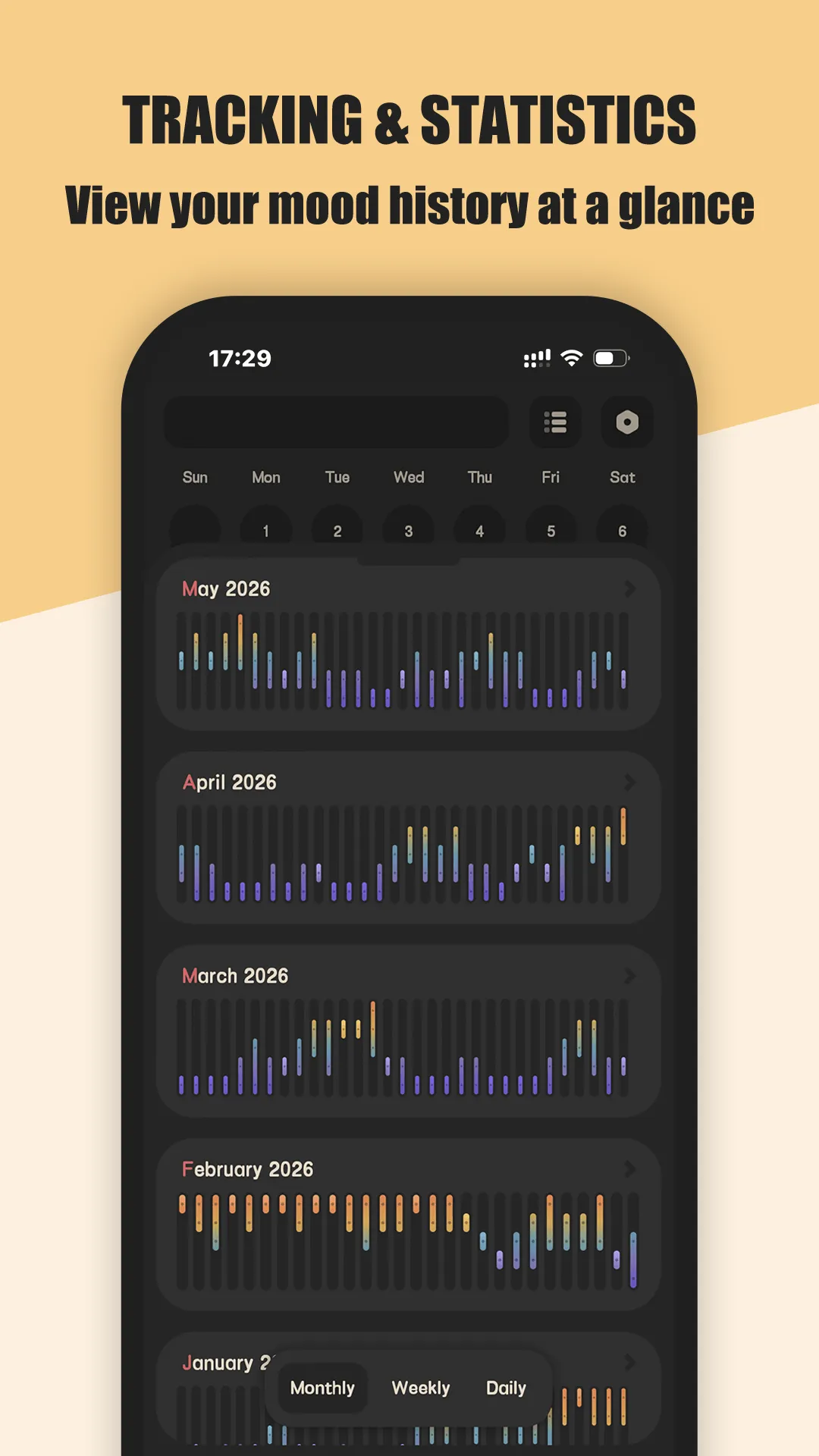
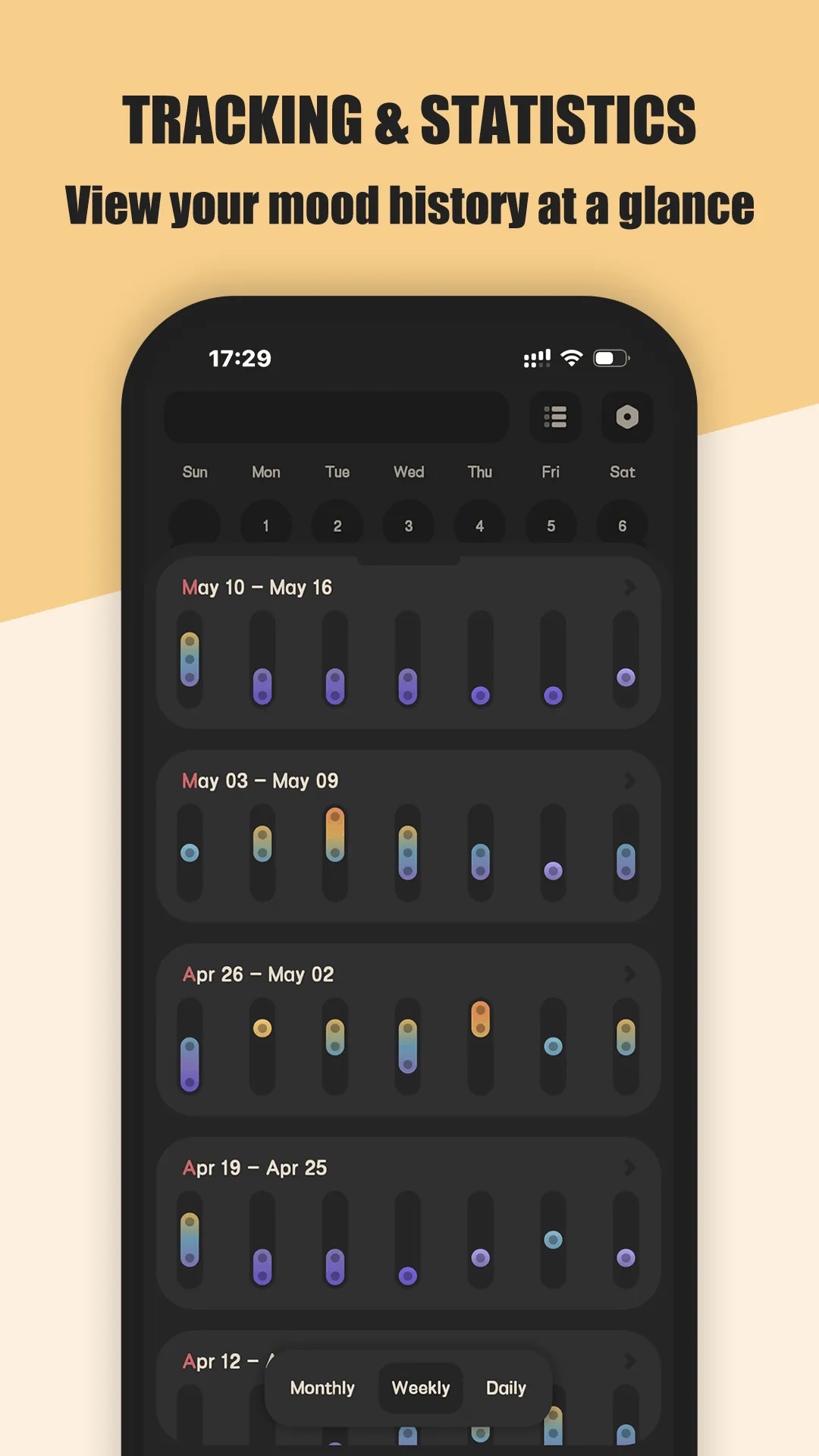
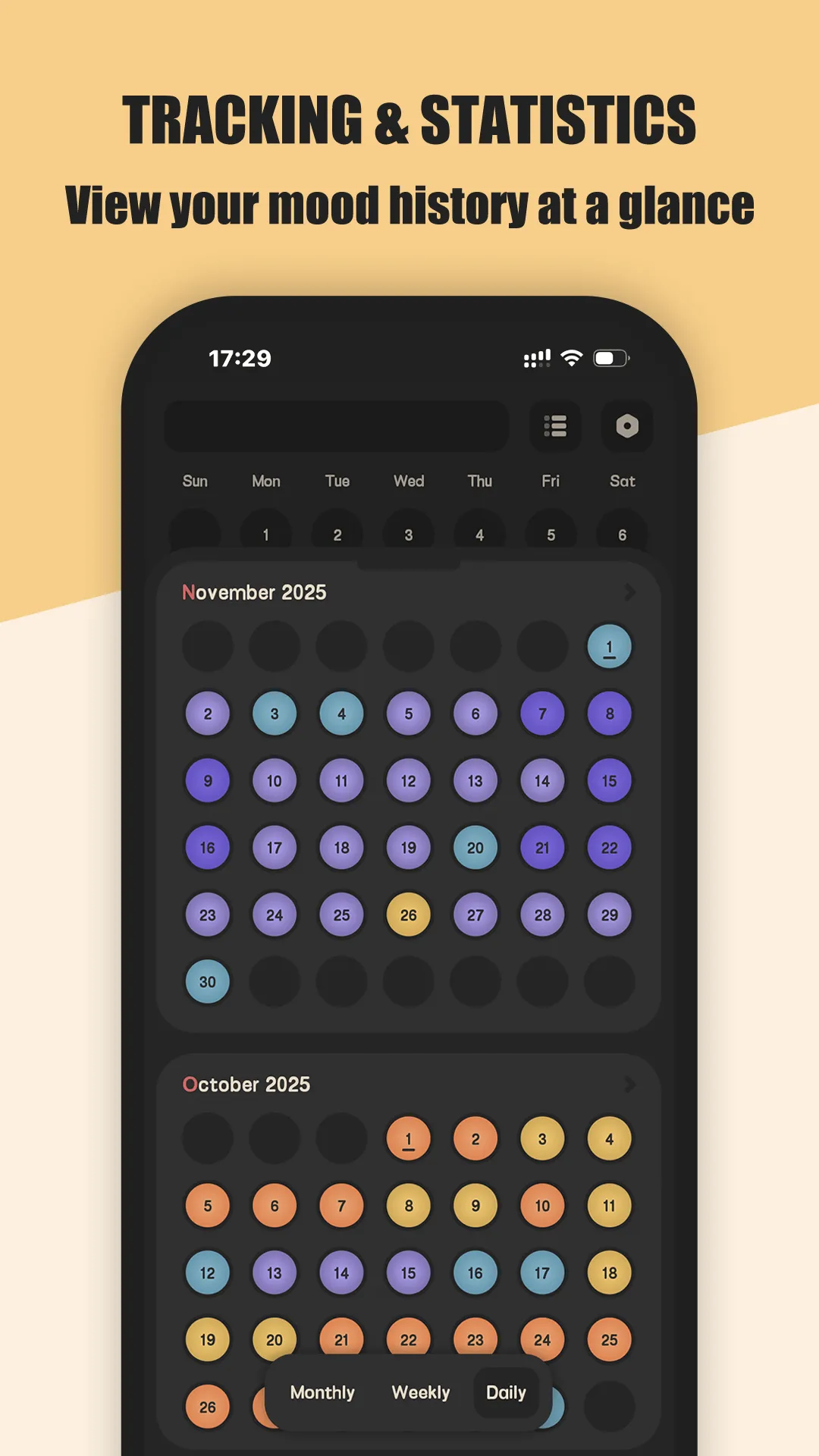
Meow Mood Diary is a safe, private mood diary and journaling app with a calming cat-themed interface for recording feelings and tracking mood.
- Complete privacy — entries are never uploaded to our servers; you back up only to your own Google Drive.
- One-tap mood logging — select an emotion icon; no long writing required on low days.
- Mood history & stats — calendar views and charts of emotional trends so patterns surface.
- Fully offline — log, view and edit with no Wi-Fi, keeping the habit frictionless.
- Customizable reminders — build a consistent daily check-in routine.
- Fingerprint & passcode lock — only you can access your diary.
Best for: private, daily mood tracking without cloud lock-in.
Go deeper:
- Best mood diary app
- Private diary app with no account
- Meow Mood Diary app page
- Meow Mood Diary Official User Guide
How Meow Mood Diary compares to the competition
- vs Day One — Day One is the polished journaling standard with photos and sync, but it’s built around a cloud account and a yearly subscription. Meow Mood Diary is local-first and private by default, with no account to create. Full breakdown in Meow Mood Diary vs Day One.
- vs Journey — Journey adds travel maps and a web app, which is nice for cross-device journaling, but its free tier is limited and it’s less focused on quick mood check-ins.
- More options — see Best Day One Alternatives in 2026 for the full field.
Which should you pick?
Quick pick by situation:
- Want no account and on-device privacy → Meow Mood Diary.
- Want rich photo journaling + sync and accept a subscription → Day One.
- Want web + travel maps → Journey.
- Just need a 30-second daily mood check-in → Meow Mood Diary.
Conclusion
For most Android users who want a private, no-account mood diary, Meow Mood Diary is the calmest pick — and it’s free to start.
- Google Play — Meow Mood Diary
- App Store — Meow Mood Diary Or read the Best mood diary app for the full breakdown.