
Meow Mood Diary Official User Guide
Table of Contents
- App Introduction
- First-time Use
- Log a Mood (One-tap)
- Full Mood Entry
- History Calendar
- Statistics & Trends
- Daily Reminder
- App Lock (VIP)
- Backup
- Settings
- FAQ
App Introduction
Meow Mood Diary is a safe, private mood diary and journaling app with a calming cat-themed interface.
😺 One-tap Logging
- Five mood-level “capsules” on the home screen
- Tap a capsule to log instantly, or open it for a fuller entry
📊 Insights
- A month calendar painted with mood colors
- Statistics: level distribution (pie), monthly histogram, emotion frequency, context frequency
🔒 Private by Default
- Data is stored locally only — nothing is uploaded to a server
- Optional Google Drive / WebDav backup (you control the cloud)
- App lock (fingerprint / passcode) is a VIP feature
🎨 Rich Options
- 48 default emotions (24 unpleasant + 6 neutral + 18 pleasant) grouped into 5 mood levels
- 18 context tags (where / with whom)
- Free vs VIP: more icons, more theme colors, app lock, and PDF export
First-time Use
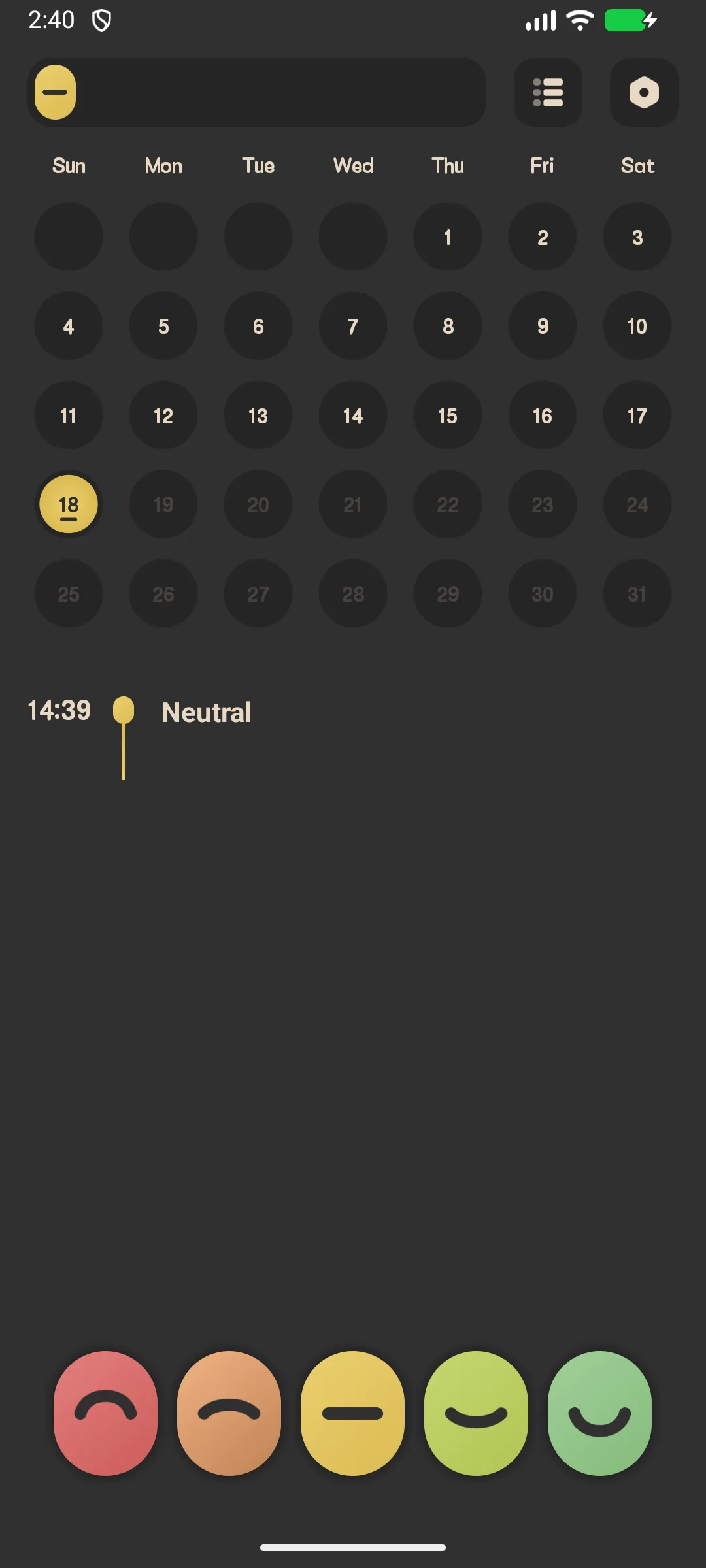
The home screen shows five mood capsules, a month calendar, and today’s mood list.
- Tap menu stats (top) for statistics
- Tap menu setting (top) for settings
Log a Mood (One-tap)
- On the home screen, tap a mood capsule (e.g. “Happy”)
- It expands — tap confirm to save instantly, or tap the settings (gear) icon to add details
A one-tap log saves the mood level with no note or tags.
Full Mood Entry
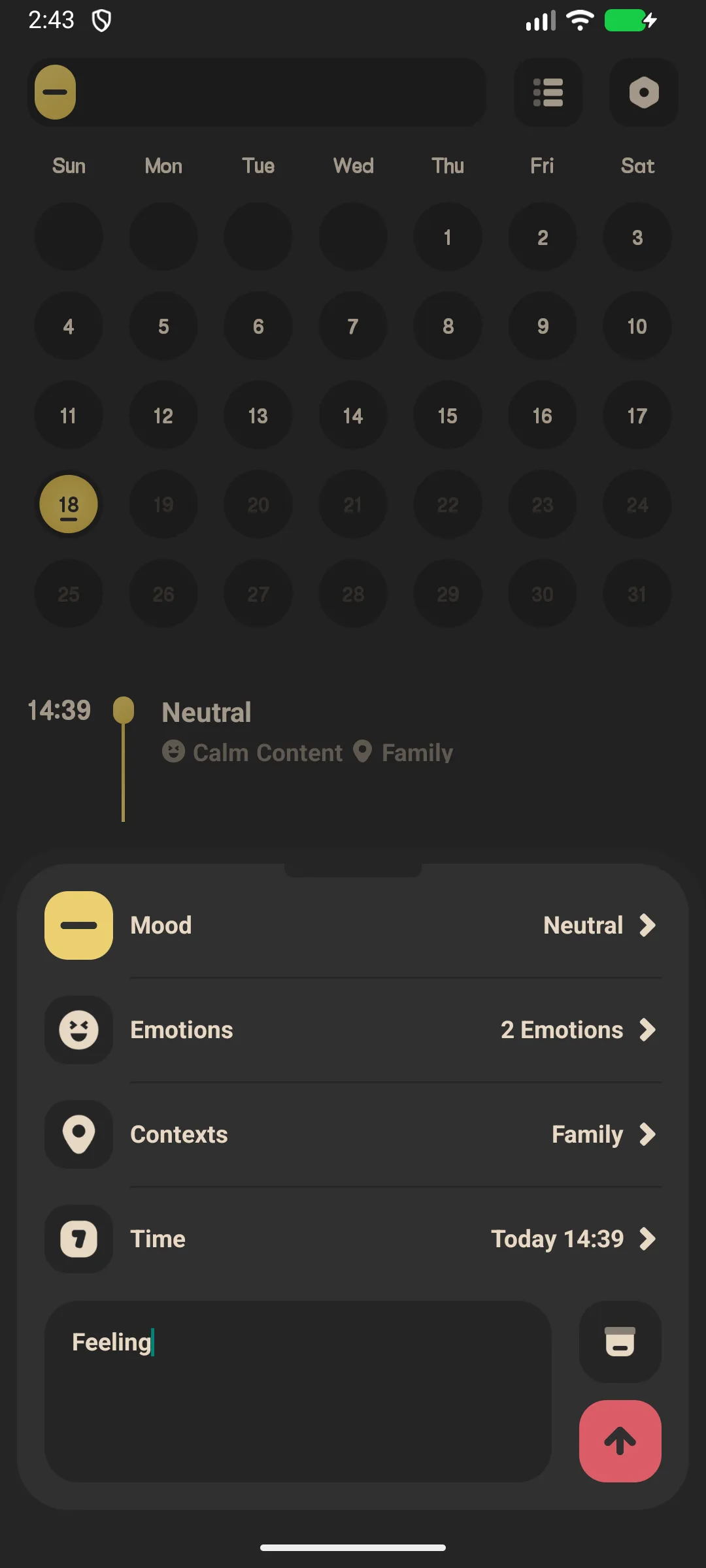
- Tap the gear on a capsule → Add Mood
- Pick a mood level (1–5)
- Select emotion tags (multi-select from 48 emotions)
- Select context tags (multi-select from 18 contexts)
- Set the time (cannot be in the future)
- Write an optional note
- Tap Save
History Calendar
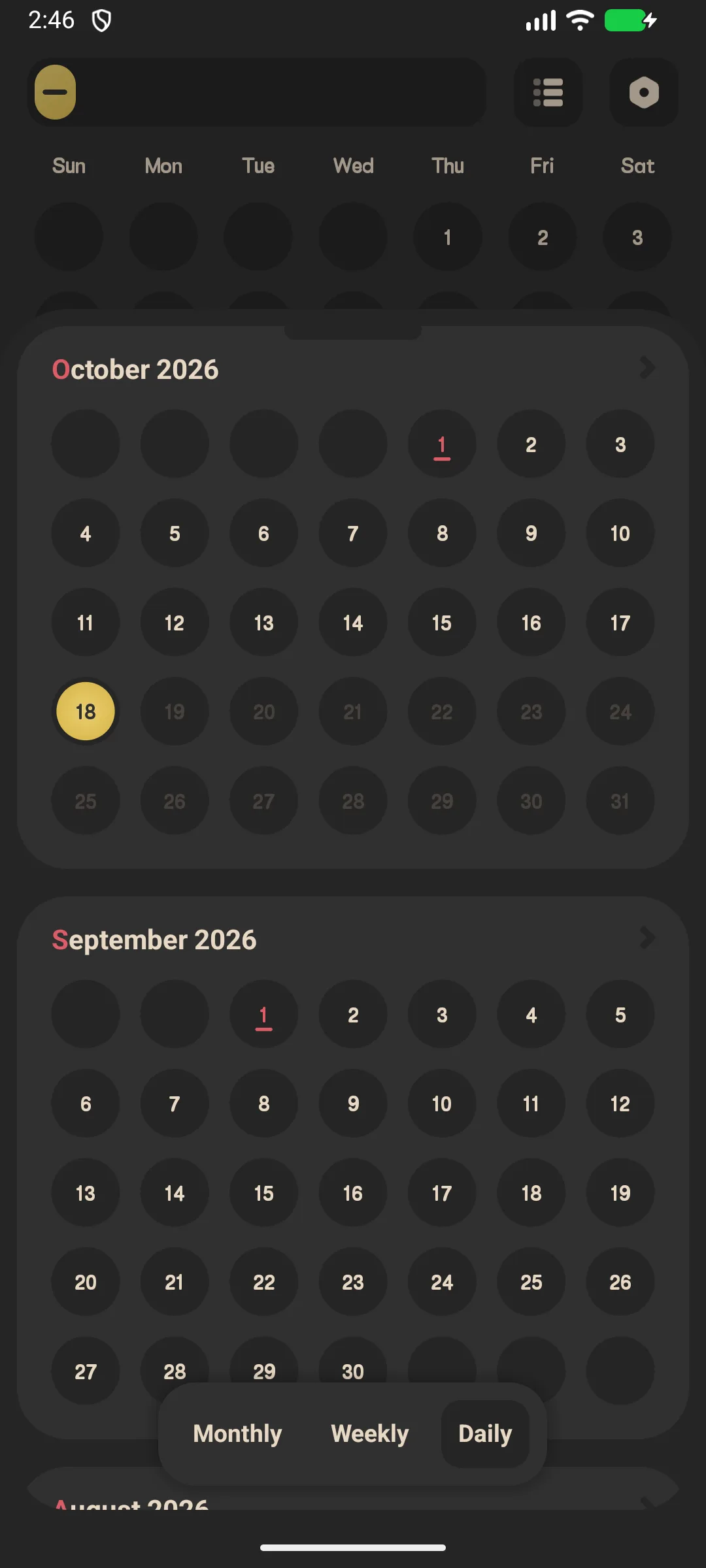
- Swipe the home calendar month by month
- Each day is a colored arc whose color reflects the average mood level for that day (future days appear greyed)
- Tap a day to see that day’s entries
Statistics & Trends
- Tap the stats icon (top-right)
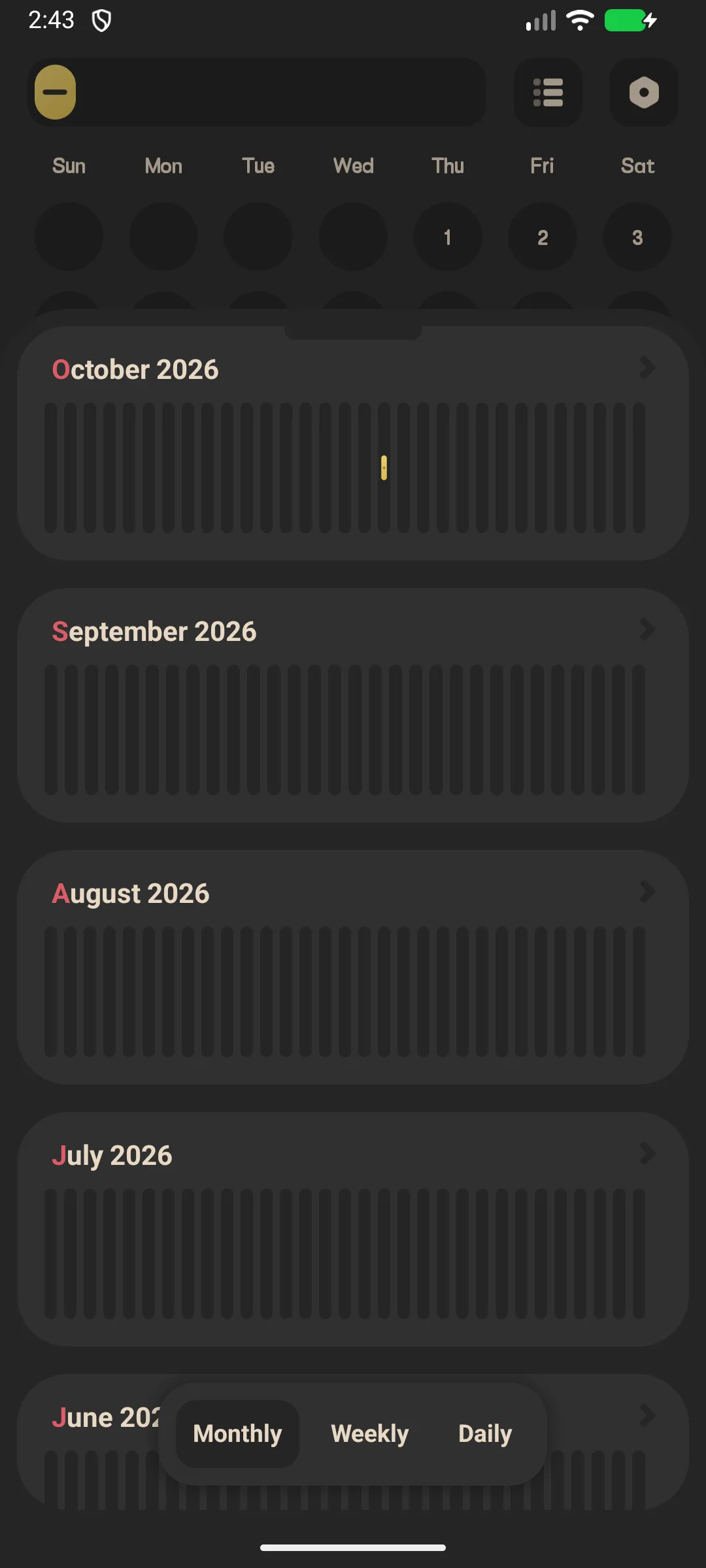
- Switch Month / Week / Day tabs
- Review:
- Level distribution pie chart
- Monthly histogram
- Emotion frequency and context frequency
Daily Reminder
- Settings → Reminder
- Enable the daily reminder and set a time
- You’ll get a gentle “How are you feeling?” / “Time to log your mood!” notification
App Lock (VIP)
- Settings → App lock
- If you are not VIP, you’ll be prompted to upgrade
- VIP users can enable fingerprint or passcode lock
Backup
Settings → Google Drive (sign in, backup / restore / auto) and WebDav. Your entries stay on-device unless you back them up.
Settings
Settings include language, week start, app lock (VIP), widgets, mood icons (VIP), theme color (VIP), emotion/context tags, export (VIP), reminder, and Google Drive / WebDav.
FAQ
Is my diary uploaded to a server?
No. All entries are stored in a local database on your device. Only you can back them up to your own Google Drive or WebDav.
How is the calendar color decided?
Each day’s color is the mood level averaged from that day’s entries, mapped to the active theme’s 5-color palette. Days with no entry are left plain.
Can I export my diary?
Yes — PDF export is a VIP feature.
Summary
Meow Mood Diary makes daily mood tracking effortless and private, with a clear calendar and trend charts to help you understand your emotions over time.