
Meow FM Official User Guide
Table of Contents
- App Introduction
- First-time Use
- Play an Ambient Sound
- Sleep Timer
- Background & Off-screen Playback
- Theme
- Home-screen Widgets
- Free vs Premium Sounds
- Settings
- FAQ
App Introduction
Meow FM is a cat-themed white-noise app for sleep, relaxation and focus. Play calming ambient sounds to fall asleep faster, focus longer, or quiet a noisy room.
🌧 Ambient Sounds
- A library of 15+ sounds: rain, thunderstorm, forest, fireplace, wind, seaside, summer night, and more
- Browse the horizontal sound list and tap to play
⏲ Sleep Timer
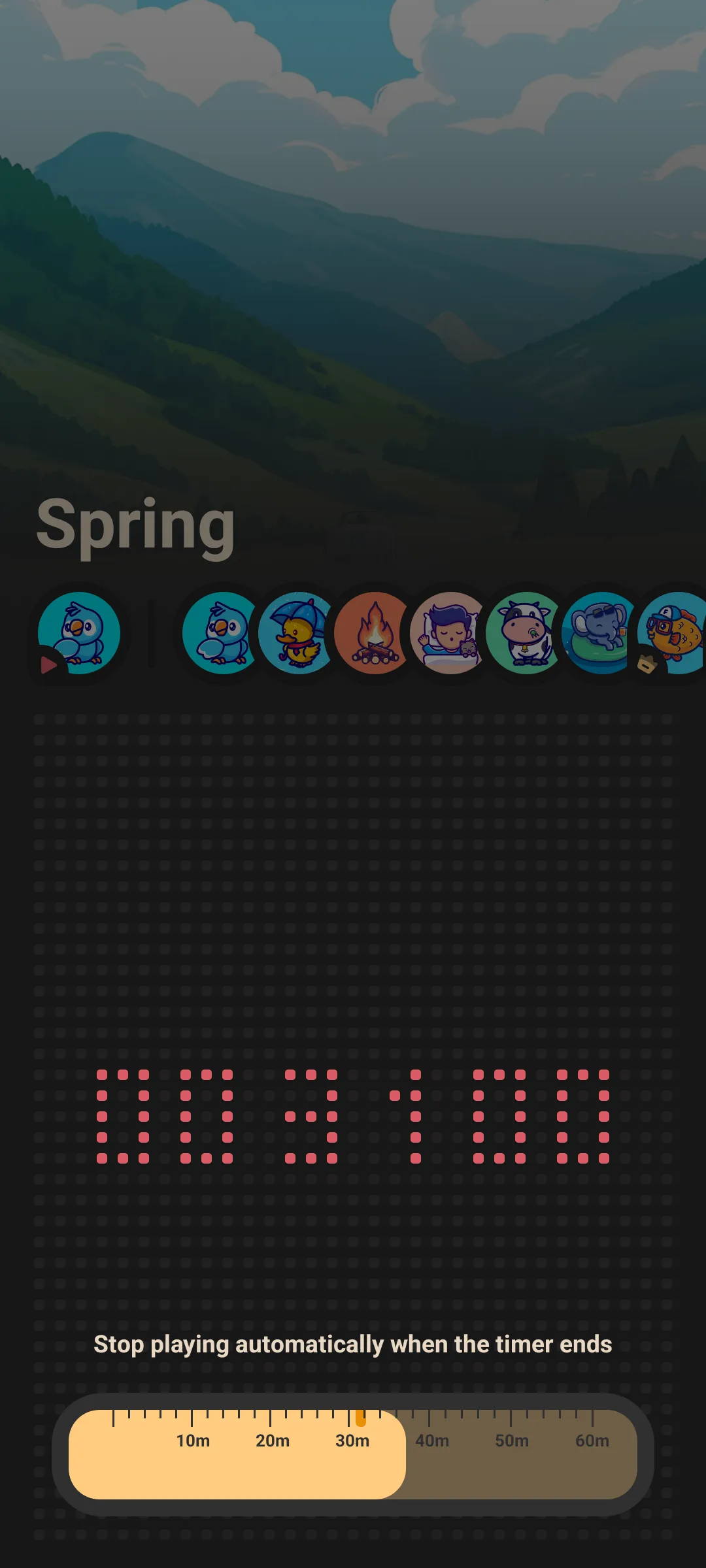
- A timer slider from 0 to 60 minutes; playback auto-stops when it ends so it never runs till morning
🔇 Offline
- Every sound plays with no network connection — great on planes, commutes and patchy hotel Wi-Fi
🎨 Simple
- Light / dark theme
- Free to start; a one-time unlock opens the premium sound scenes
Note: Meow FM plays one sound at a time (there is no layer/mixer to combine multiple sounds). Pick the scene that fits the moment.
First-time Use
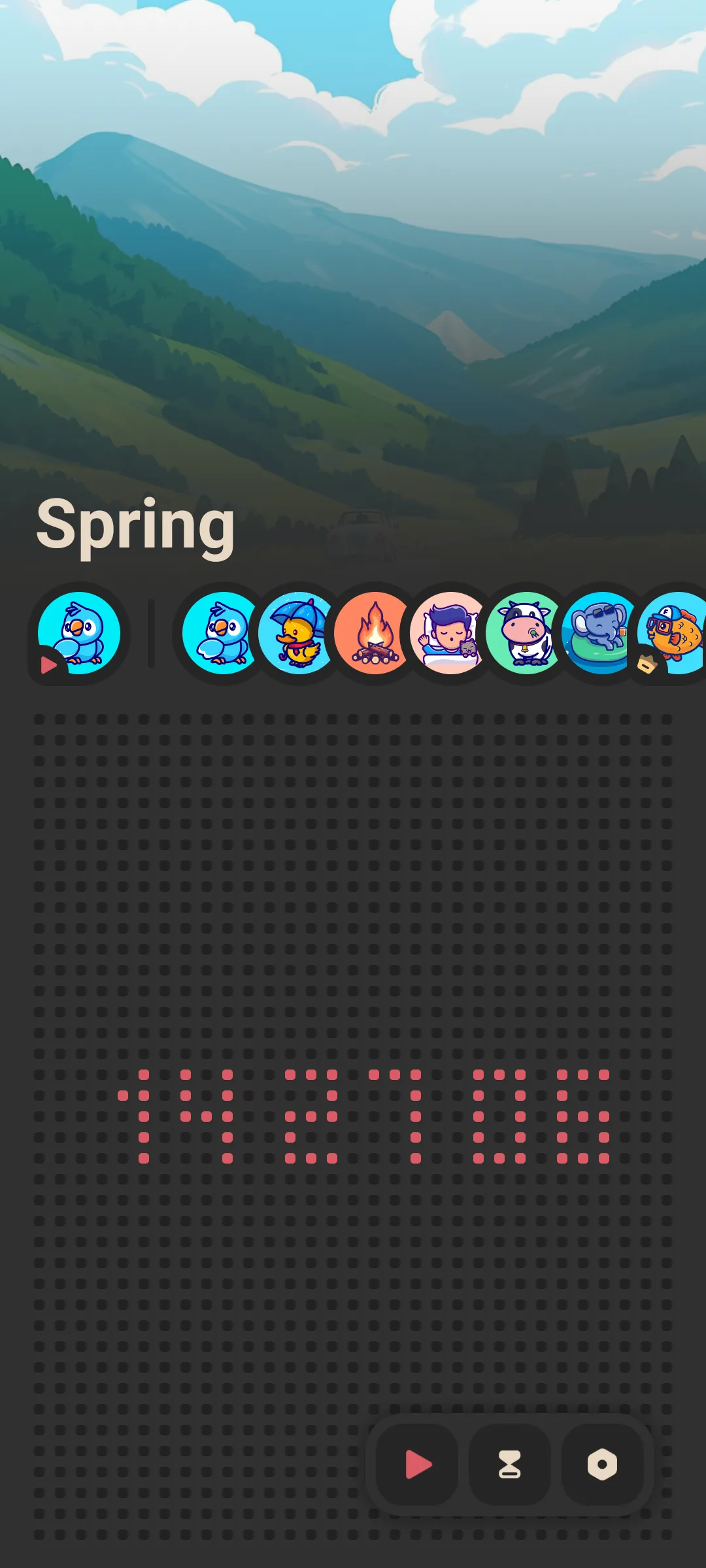
The home screen is a single page: a selected-sound chip plus a scrollable list of all sounds.
- Tap a sound to play it
- Tap again to stop
- Use the timer slider to schedule auto-stop
Play an Ambient Sound
- On the home screen, scroll the sound list
- Tap a sound (e.g. Rain or Thunderstorm)
- It starts playing immediately and the chip updates
- Tap the same sound again to stop, or tap another to switch
Playback continues while you use other apps or lock the screen.
Sleep Timer
- Drag the timer slider from 0 to 60 minutes
- Playback automatically stops when the timer reaches zero
- Set it before you doze off so the sound does not run all night
Background & Off-screen Playback
Meow FM uses a foreground playback service, so the sound keeps running with the screen off and does not depend on a server. This is the key feature for sleep and focus.
Theme
Open Settings and switch between light and dark mode (dark mode is on by default).
Home-screen Widgets
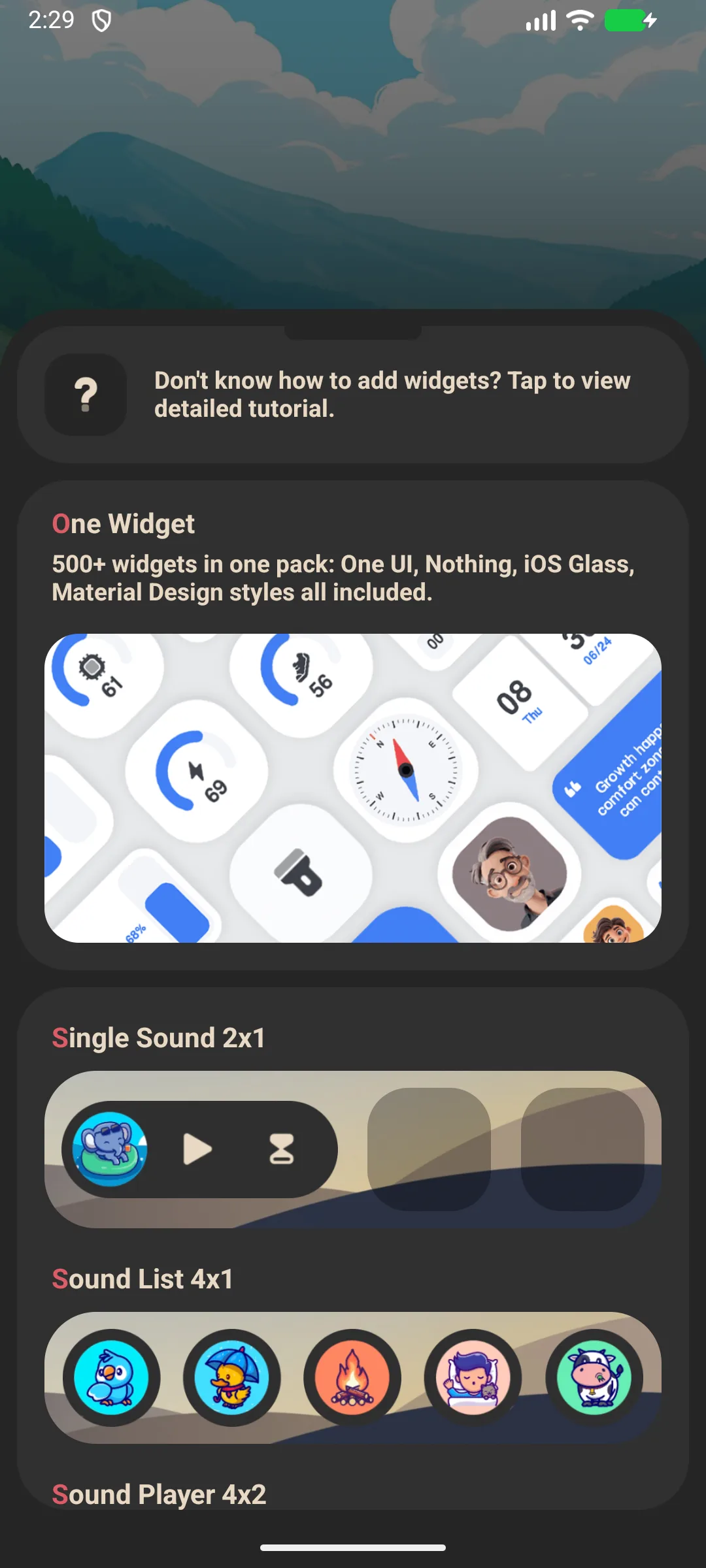
Meow FM provides three widget types you can place on your home screen:
- Single Sound — one-tap play of a chosen sound
- Sound List — quick access to several sounds
- Sound Player / cover — a player widget
Add them from the widget picker, then configure the sound(s) in the widget config.
Free vs Premium Sounds
- A set of sounds is free to play
- Additional premium scenes unlock via a one-time purchase (no subscription)
Settings
Settings include theme (light/dark), the Meow family cross-promo, and billing / restore options.
FAQ
Can I mix rain + thunder together?
Not in the current app — it plays one sound at a time. Choose the single scene that works best (e.g. Thunderstorm already combines rain and thunder).
Does it need internet?
No. All sounds are bundled and play fully offline.
How do I stop it automatically?
Use the sleep timer (0–60 min); playback stops at zero.
Summary
Meow FM is the simplest way to add calming ambient sound to sleep or focus — free to start, fully offline, with a sleep timer that turns itself off.