
Meow Habits Official User Guide
Table of Contents
- App Introduction
- First-time Use
- Add a Habit
- Daily Check-in
- Reminders
- Streaks and Trends
- Edit, Archive or Delete
- Backup and Export
- Settings
- FAQ
App Introduction
Meow Habits is a cute habit tracker and routine builder for Android and iOS. Build good habits and break bad ones with streaks, charts, and a calendar heatmap.
🐱 500+ Cute Icons
- An icon picker with roughly 590 icons across 14 categories
- Pick an icon and color for each habit
🔥 Streaks & Charts
- Per-habit streak and completion rate
- Bar, pie and calendar (heatmap) views of your progress
🔁 Flexible Cycles
- Daily, Weekly, Monthly, or Weekday (e.g. Mon/Wed/Fri)
- “Every N days/weeks” custom rules
☁️ Private
- Offline by default; optional Google Drive / WebDav backup
- CSV export (VIP)
First-time Use
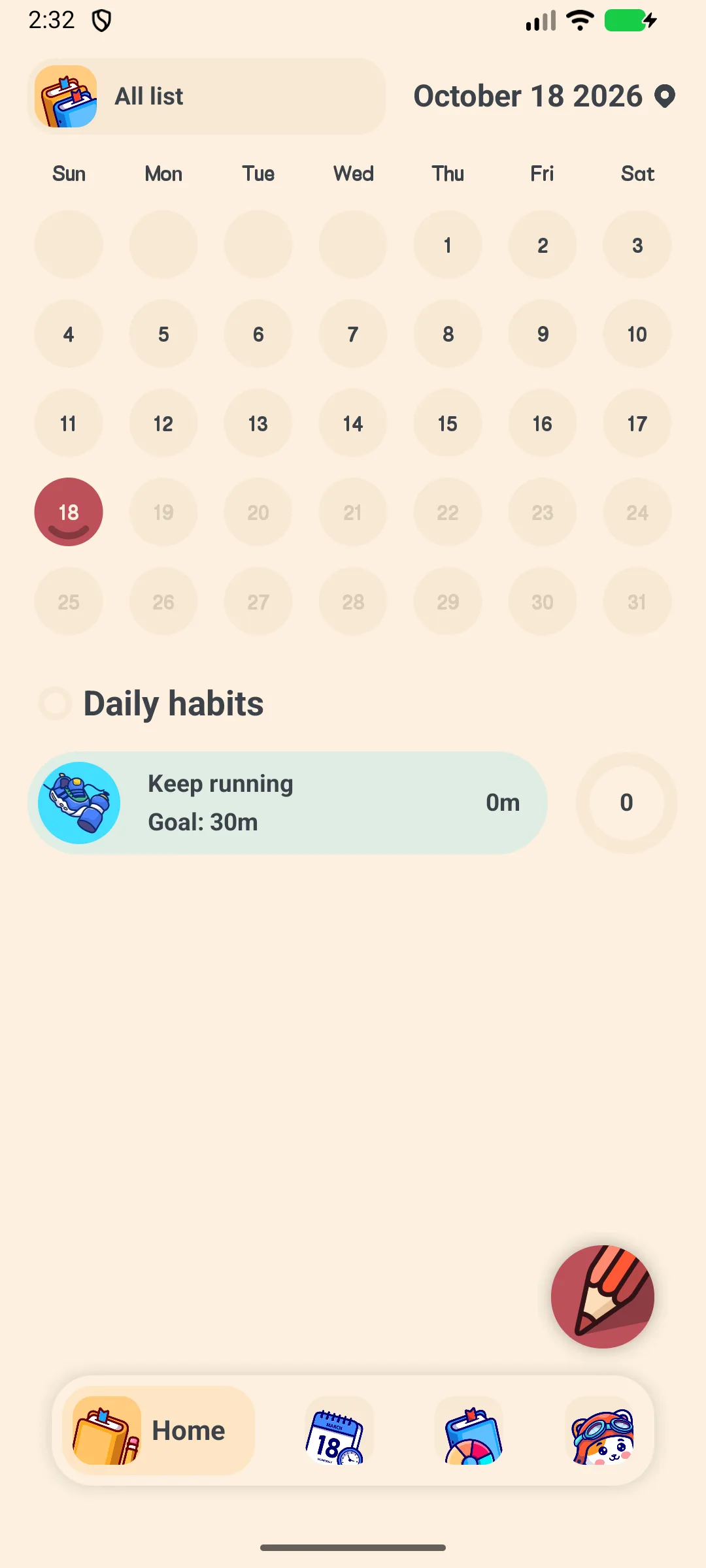
The app opens on the Home tab showing today’s habits plus a month calendar.
- Bottom tabs: Home, Habit, Trend, Setting
- Tap + to add your first habit (the free tier allows up to 5 habits; VIP unlocks unlimited)
Add a Habit
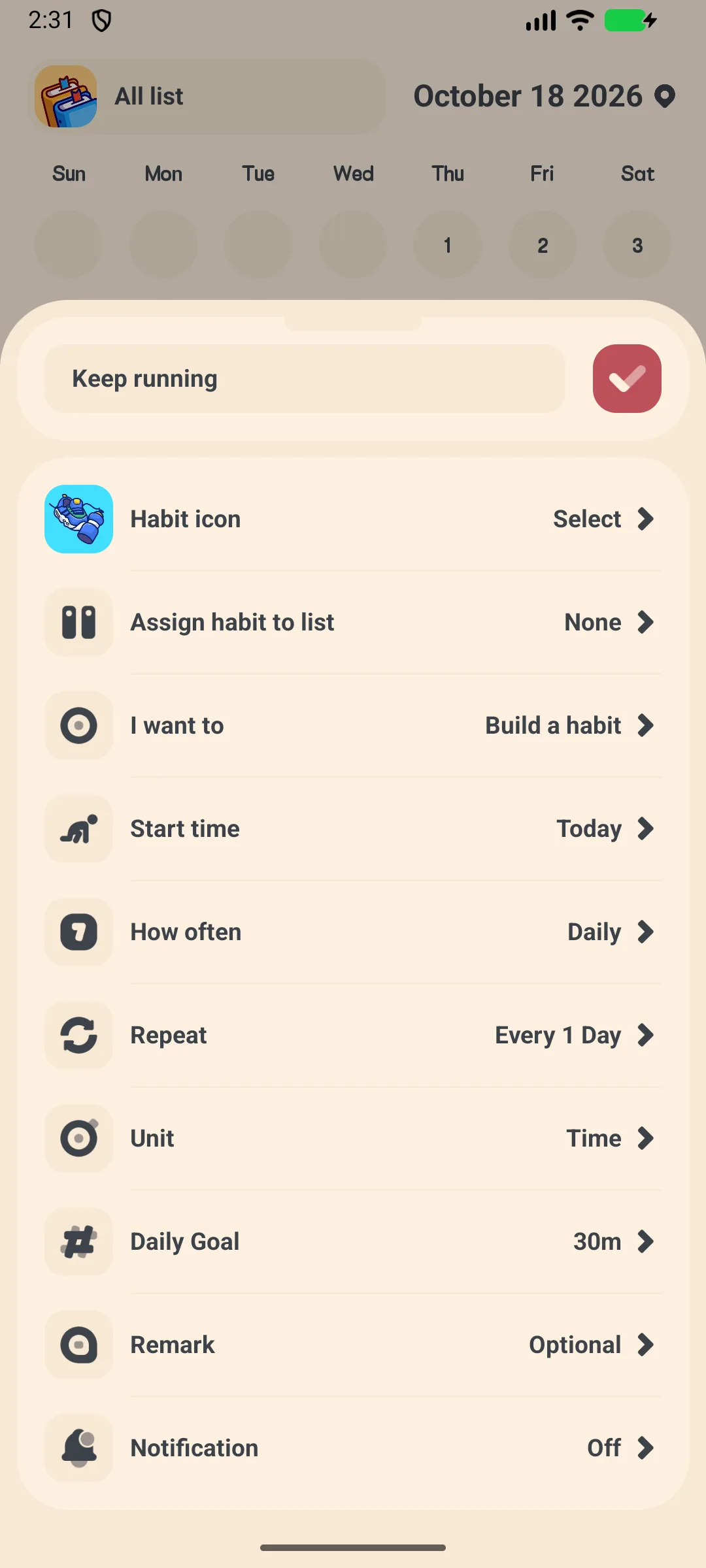
- Tap + on the Home tab
- Pick a template or start blank → opens Habit Add
- Enter a name
- Tap the icon to open the icon picker (≈590 icons, 14 categories)
- Choose a Book (list) and a type
- Set a goal (e.g. count or duration)
- Set the cycle: Daily / Weekly / Monthly / Weekday, plus an “Every N” interval if needed
- Set a start date
- Tap Confirm
Daily Check-in
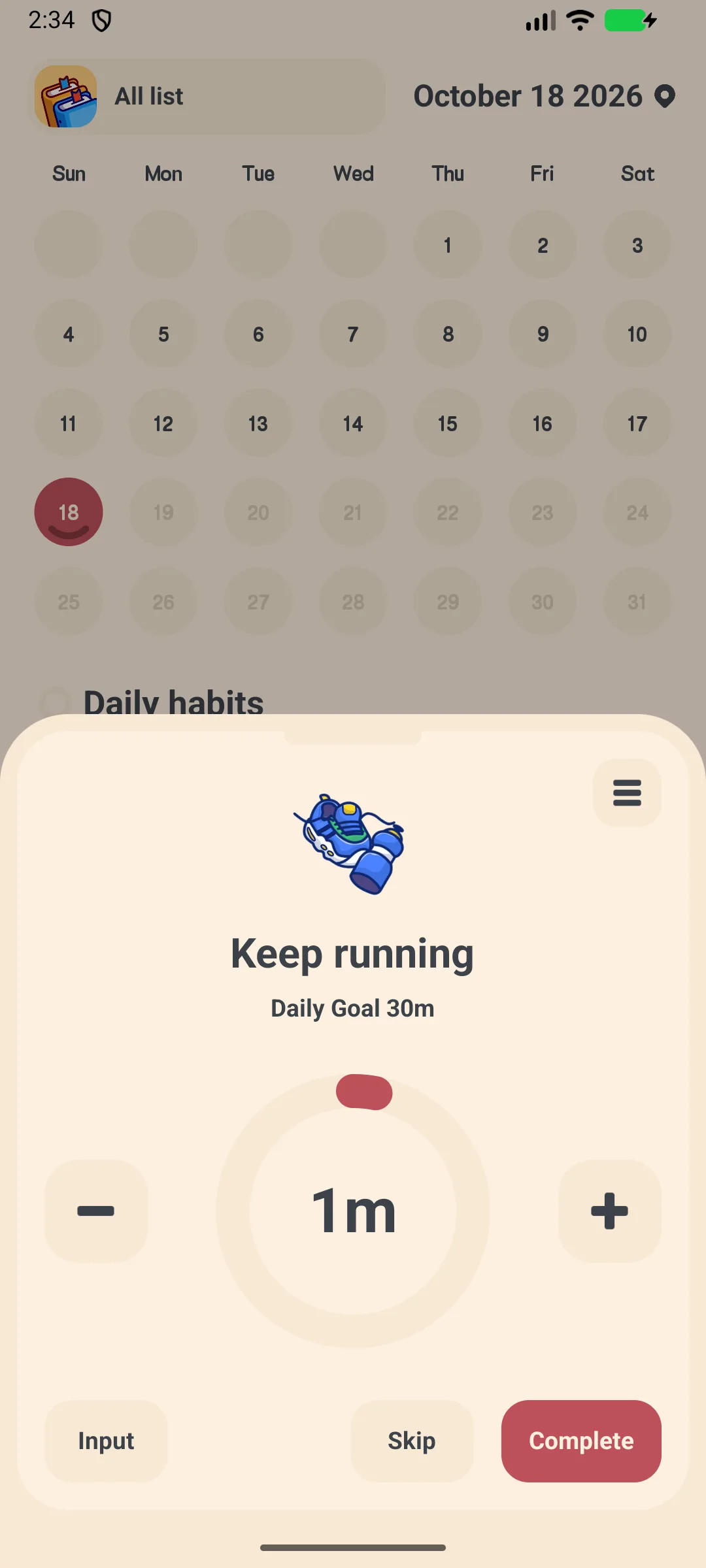
- On the Home or Habit tab, tap a habit to open the check-in screen
- A big progress ring shows today’s goal
- Use + / − to adjust count, Input to type a value, Skip to skip, or Complete to finish
- The 3-dot menu gives Trend / Notification / Note / Edit / Archive / Delete
Reminders
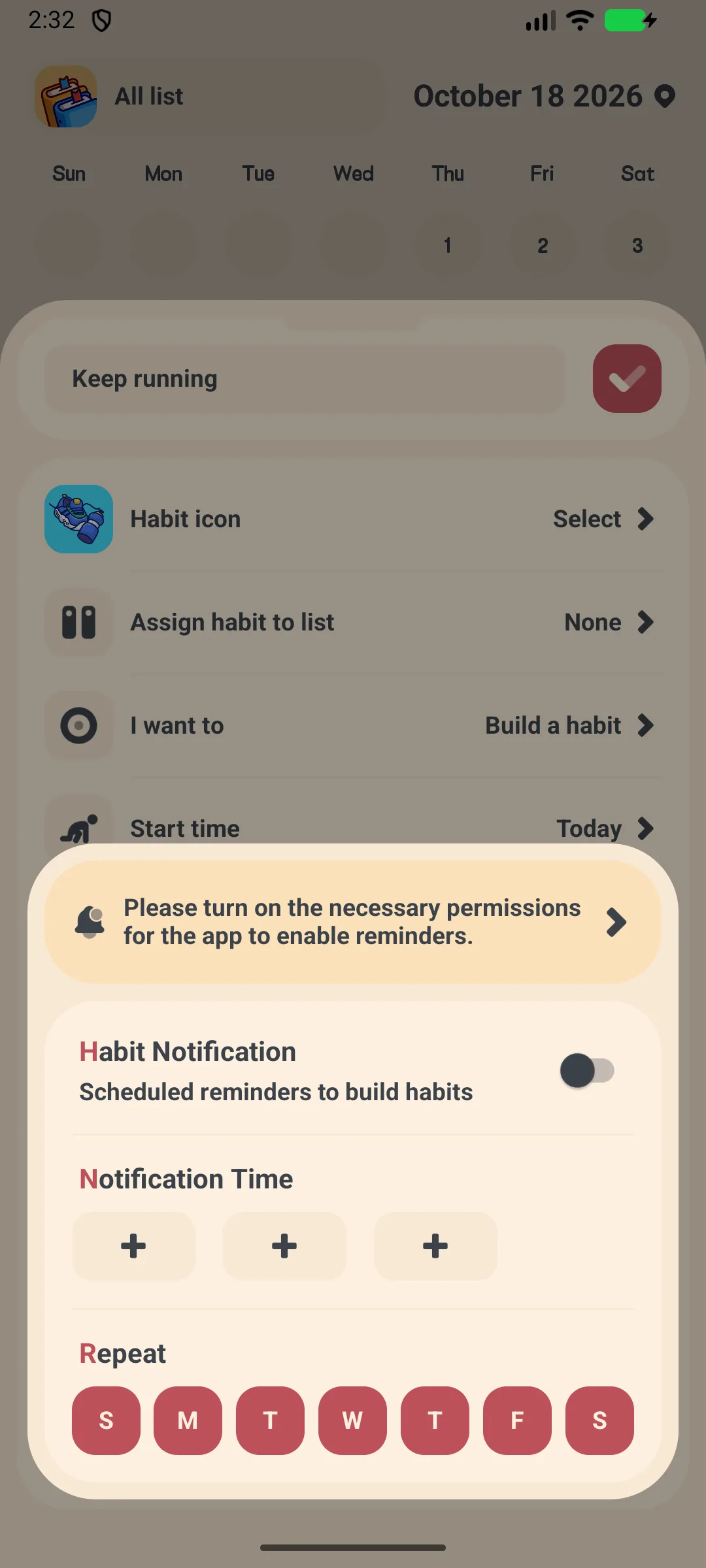
- Open a habit and tap the reminder (bell) option
- Toggle the daily reminder on
- Pick one of the 3 time chips and choose which weekdays (Sun–Sat) apply
- The app notifies you to check in
Streaks and Trends
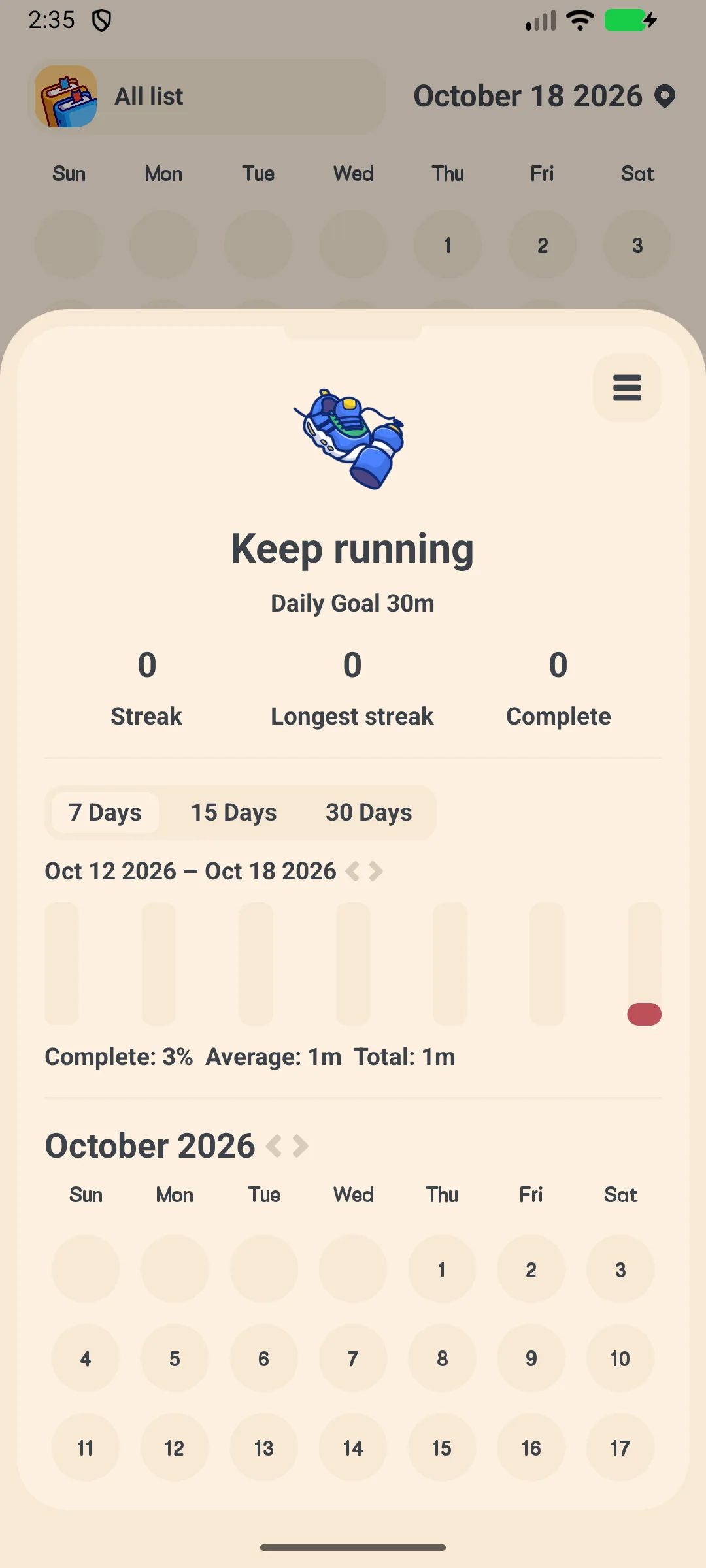
- Open a habit → Detail to see streak numbers, history bars and a calendar heatmap
- Switch to the Trend tab for charts and achievements
Edit, Archive or Delete
From the check-in 3-dot menu you can Edit, Archive (keep history but hide), or Delete a habit.
Backup and Export
- Settings → Google Drive / WebDav to back up and restore
- Settings → Export lets you pick habits, choose a date range, and share a CSV
Settings
Settings include a VIP banner, dark mode, language, week start, app lock (VIP), sound, notifications, widgets, Lists, Habits, Export (VIP), Google Drive, WebDav, and the Meow family section.
FAQ
What breaks a streak?
A streak continues while you check in on the scheduled days. Missing a scheduled day resets the current streak for that habit.
Is there a free limit?
Yes — the free tier allows up to 5 habits. VIP unlocks unlimited habits, unlimited lists, dark mode, app lock, and CSV export.
Where is my data stored?
On your device by default. Use Google Drive or WebDav backup to move it between devices.
Summary
Meow Habits turns habit-building into a calm daily ritual with cute icons, streaks, and clear trends — and it works fully offline.